Your Audi key fob dies mid-stride across a rainy parking lot. You jab the unlock button repeatedly while sprinting toward your car, only to realize you’re standing on the driver’s side handle before the doors finally pop open. This frustrating scenario happens to 1 in 3 Audi owners annually—and a dead battery causes 98% of these failures. Replacing it yourself takes less than 5 minutes and costs $3 instead of the $75 dealerships charge. This guide delivers model-specific instructions for every Audi key from 1998 to 2024, so you’ll never be stranded by a dead fob again.
Find Your Exact Audi Key Model (2000-2024 Guide)
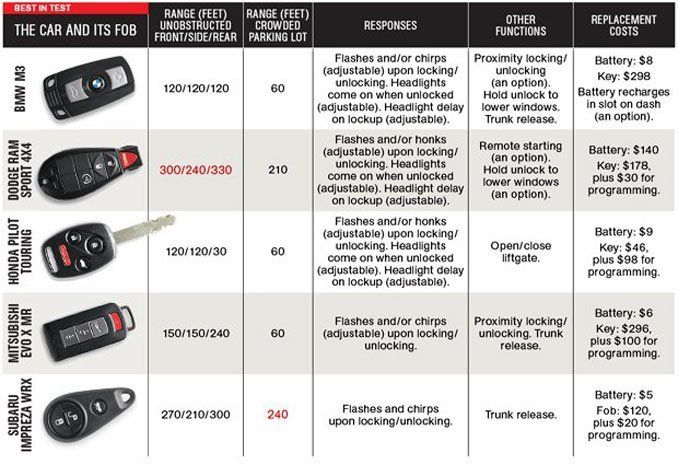
Audi uses five distinct key styles requiring different opening techniques. Identifying yours prevents costly damage to expensive smart key housings. Check these visual cues before buying batteries:
| Key Appearance | Model Years | Battery Type | Critical Identifier |
|---|---|---|---|
| Metal flip key with chrome Audi rings button | 1998-2005 | CR2032 | Valet key slides out revealing slot |
| Chunky rectangle with 2-3 buttons | 2004-2012 | CR2032 | Metal key pulls from side lever |
| Full smart key with hidden key slot | 2009-2016 | CR2032 | Emergency blade slides out smoothly |
| Paper-thin rectangle (B9/MQB) | 2016-present | CR2025 or CR2032 | Check etching on old battery |
| Sleek curved key (Q8/e-tron GT) | 2019-present | CR2032 | Bluetooth logo near button |
Pro tip: If your key lacks mechanical buttons (e.g., Audi A6 2020+), it’s a B9 key. Never assume battery type—some 2017-2019 A4s use CR2025 while identical-looking Q5s need CR2032.
Why CR2032 Isn’t Always Correct
While 95% of Audi keys use CR2032 batteries, newer B9/MQB models (2016+) sometimes require CR2025. Check your dead battery’s side etching:
– CR2032 = 20mm diameter, 3.2mm thickness (standard)
– CR2025 = 20mm diameter, 2.5mm thickness (thinner)
Forcing a CR2032 into a CR2025 slot damages contact springs. If unsure, bring your dead battery to an auto parts store for matching.
Essential Tools for Audi Key Battery Replacement
Skip dealership trips with these $5 tools:
– Precision screwdriver set (flathead 1.5mm tip)
– Plastic pry tool (auto trim removal kit, $3 on Amazon)
– CR2032 or CR2025 battery (Panasonic or Duracell only—dollar store batteries leak acid within months)
– Microfiber cloth (prevents scratches on piano-black finishes)
Avoid these critical mistakes:
– ❌ Using metal tools on B9/MQB keys (scratches housing irreparably)
– ❌ Touching PCB contacts with fingers (skin oils corrode circuits)
– ❌ Installing battery upside-down (+ symbol must face circuit board)
Replace Flip Key Battery (1998-2005 Models)
Difficulty: ⭐ Easy | Time: 90 seconds
Remove Valet Key Without Losing It
Press the chrome Audi rings button firmly while sliding the metal key out completely. Place it on a microfiber cloth—this valet key is easily dropped and expensive to replace ($45+).
Open Shell Without Breaking Clips
Insert your plastic pry tool into the slot where the valet key sat. Twist slowly like a key in a lock—never force it. You’ll hear two distinct snaps as inner clips release. If resistance increases, stop immediately; these brittle clips cost $25 to replace.
Install Battery With Correct Polarity
Lift the circuit board to expose the battery cradle. Note the “+ UP” marking etched near the battery—this is critical. Remove the old CR2032 with tweezers (never fingers), then slide the new battery in with the + symbol facing UP toward the PCB. Press firmly until it clicks into the metal spring contacts.
Replace Rectangular Key Battery (2004-2012 Models)
Difficulty: ⭐⭐ Moderate | Time: 2 minutes
Extract Emergency Key Safely
Press the small chrome lever on the key’s side while pulling the metal blade straight out. Hold the fob vertically during this step—many owners drop the emergency key into sewer grates.
Split Case Without Damaging Button Pad
Insert your plastic tool at the keyring notch and work clockwise around the perimeter. These keys have 8 hidden clips—listen for soft pops. When the back cover lifts, notice the rubber button pad’s alignment tabs; misplacing it causes “mushy” button response.
Prevent Common Reassembly Errors
After installing the new CR2032 (+ side up), align the rubber pad’s triangular tab with the housing groove. Press shell halves together starting at the hinge end—never slam shut. Test before reinserting the emergency key; if buttons feel stiff, the pad is misaligned.
Replace B9/MQB Smart Key Battery (2016-Present)
Difficulty: ⭐⭐⭐ Challenging | Time: 3 minutes
Separate Ultra-Thin Housing Safely
After removing the emergency key, insert plastic tool ONLY at the keyring end groove. B9 keys use ultra-tight friction-fit housing—twist tool 5° max to avoid snapping the 0.5mm plastic lugs. Slide the tool along the seam while applying upward pressure; the top shell lifts off like a smartphone back cover.
Handle Battery Variations Correctly
Some 2016-2019 models use CR2025 while 2020+ use CR2032. Check your dead battery’s thickness:
– 2.5mm = CR2025 (e.g., 2018 A4)
– 3.2mm = CR2032 (e.g., 2021 Q5)
Slide the new battery into the spring clip + side down (facing circuit board), then press until it seats flush.
Critical Post-Installation Tests

Skip dealership reprogramming with these self-tests:
1. LED flash test: Press any button—bright red flash confirms good contact (dim light = upside-down battery)
2. Range test: Stand 15 feet from car; doors should unlock within 1 second
3. Keyless entry test: Touch driver’s handle—doors unlock without pressing buttons if equipped
Re-sync Your Audi Key in 20 Seconds
If functions fail after battery replacement:
1. Insert emergency key into driver’s door lock
2. Turn to LOCK and hold 5 seconds
3. Press UNLOCK button while still holding key in LOCK position
4. Remove key—hazards will flash when synced
Warning: Newer models (2017+) require MMI programming: Sit in car with doors closed, press START without brake, hold LOCK + UNLOCK for 10 seconds until hazards flash.
Troubleshoot Common Post-Replacement Failures

| Symptom | Immediate Fix |
|---|---|
| LED flashes but no response | Re-sync using door lock method above |
| Works only within 3 feet | Battery installed upside-down (+ must face PCB) |
| Buttons unresponsive | Realign rubber button pad (check for torn membrane) |
| Shell won’t close flush | Broken clip—replace housing ($28 on eBay) |
Pro tip: If your key fails even with new battery, clean contacts with 90% isopropyl alcohol—corrosion from old batteries is common.
Extend Battery Life With These Pro Tips
Audi key batteries typically last 18-36 months, but these steps double lifespan:
– Store spare keys 10+ feet from car (reduces proximity polling drain)
– Never leave keys on dashboards (heat >140°F cooks batteries)
– Replace proactively every 2 years—don’t wait for failure
– Buy Panasonic CR2032 (retains 90% charge after 3 years vs. 40% for cheap brands)
Critical warning: Dollar store batteries leak potassium hydroxide within 12 months—this eats circuit boards, requiring $250 key replacements.
Proper Battery Disposal & When to Quit DIY
Never trash old batteries—lithium cells cause landfill fires. Drop them at:
– Audi dealerships (free recycling bins)
– Best Buy or Staples electronics counters
– Municipal hazardous waste facilities
Seek professional help if:
– Housing is cracked (water ingress ruins electronics)
– Emergency blade won’t retract (requires $35 internal spring kit)
– Key fails after 2 new batteries (transponder failure = $300+ repair)
Your Audi key should now unlock from across the parking lot. Keep this guide in your glovebox—batteries in keys from the same household die within months of each other. Next time, you’ll fix it before the rain even starts.