
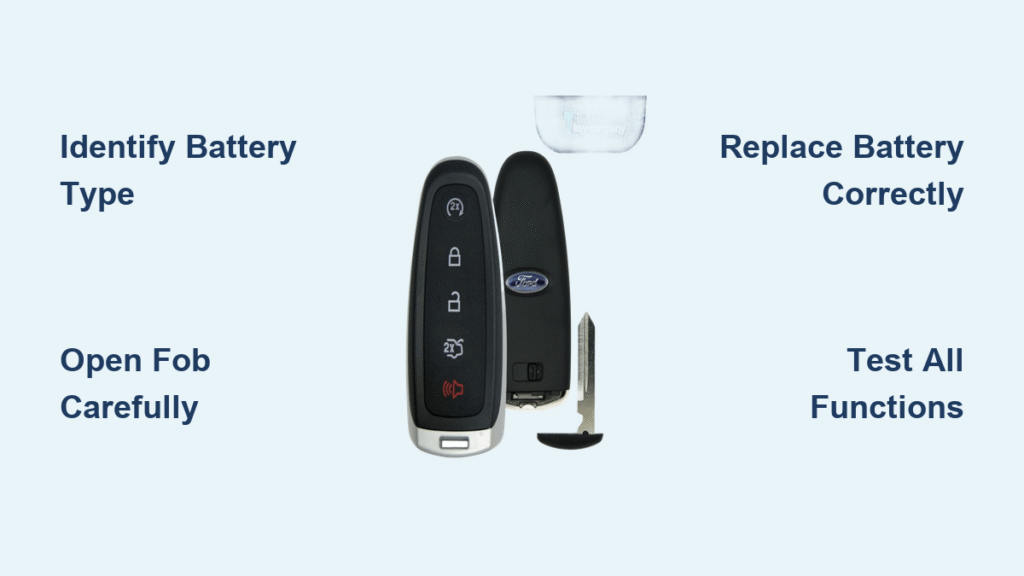
You’re standing in the grocery store parking lot, groceries in hand, and your Ford key fob won’t unlock the car from across the lot. You have to walk right up to the door before it finally responds. That frustrating moment is your first sign that it’s time for a battery replacement—and the good news is you can handle this how to change battery in ford key fob task yourself faster than you can drive to the dealership.
Most Ford owners don’t realize their key fob battery dies every 2-3 years under normal use. Extreme temperatures and frequent use can shorten that lifespan significantly. When you learn how to change battery in ford key fob properly, you’ll save $15-25 per visit compared to dealership service while avoiding the inconvenience of being locked out of your vehicle.
This comprehensive guide covers every Ford key fob design from traditional models to the latest intelligent access systems. You’ll discover exactly which battery your specific fob requires, step-by-step replacement instructions that prevent common mistakes, and troubleshooting techniques for when your fob doesn’t work immediately after battery installation.
Identify Your Ford Key Fob Design Before Starting
Traditional Rectangular Key Fob (2010-2019 Models)
Your F-150, Escape, or Focus likely uses this rectangular design with a physical key blade attached to the fob body. These require a CR2032 battery and feature separate lock/unlock buttons. Look for a visible seam line around the perimeter that separates the two halves when pried open.
Intelligent Access Key Fob (2015+ Models)
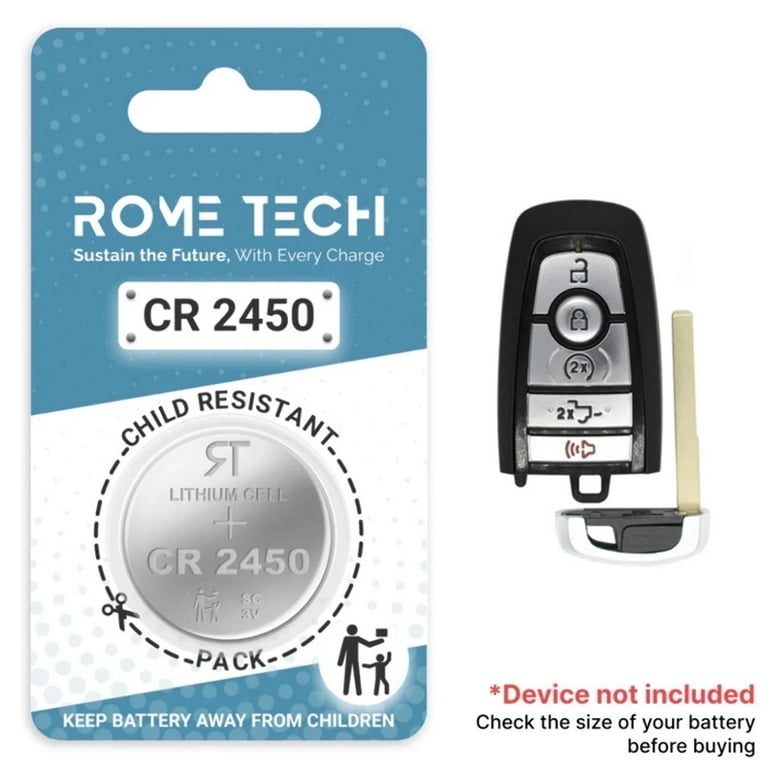
Newer Mustangs, Explorers, and F-150 models use these larger fobs with push-button start capability. They house either CR2032 or CR2450 batteries and feature a hidden emergency key blade that releases with a button press. These require careful circuit board handling during battery replacement.
Compact Flip-Key Fob Design
Early Escape and Fiesta models often use this compact design where the metal key folds into the fob body. These typically require a CR2025 battery due to their thinner profile. You’ll need to flip out the key first to access the battery compartment slot.
Verify Your Exact Battery Type Immediately
CR2032: Used in 90% of Ford key fobs—3V lithium coin cell measuring 20mm diameter × 3.2mm thickness.
CR2025: Thinner alternative for compact fobs—20mm × 2.5mm, commonly in early Escape models.
CR2450: Larger battery for newer intelligent access keys—24.5mm × 5.0mm, primarily in Mustangs.
Check your owner’s manual for confirmation or look for engraved battery specifications inside the fob after opening. Never guess—using the wrong size creates poor contact and intermittent operation.
Gather These Essential Replacement Tools
- Small flat-head screwdriver (or plastic pry tool to prevent scratches)
- Correct replacement battery (verify type before purchasing)
- Clean microfiber cloth for handling battery and contacts
- Needle-nose pliers (for stubborn batteries in tight compartments)
Pro tip: Keep a spare CR2032 in your glove compartment—these $3 batteries prevent lockout emergencies when your fob dies unexpectedly.
Replace Traditional Ford Key Fob Battery Step-by-Step

Open Your Key Fob Without Damage
- Locate the seam along the back edge of your fob—it appears as a thin line between halves
- Insert your pry tool into the small notch at the bottom corner
- Twist gently until you hear a soft click, then work around the perimeter
- Separate halves carefully—avoid yanking as tiny springs may dislodge
Install the New Battery Correctly
- Remove the old battery using your tool tip or tweezers
- Note orientation—positive side (+) typically faces up in most models
- Place new CR2032 in the compartment with identical positioning
- Press firmly until battery sits flat against contacts
- Snap halves together starting at one edge and working around
- Test all functions immediately from 10 feet away
Critical warning: Always work over a table—tiny internal components can fall out and become lost if you drop the fob during replacement.
Replace Intelligent Access Key Battery Without Losing Programming
Access the Hidden Battery Compartment
- Press the emergency key release to slide out the metal blade
- Use the key blade as a pry tool at the designated slot (usually near key opening)
- Twist gently to separate fob halves—avoid metal contact with circuit board
- Lift circuit board carefully—it’s clipped into place with delicate connectors
Complete Battery Replacement Safely
- Pop out old battery from the metal holder using plastic tool
- Clean contacts with alcohol wipe if corrosion is visible
- Install new battery ensuring proper polarity—positive side orientation varies by model
- Reassemble quickly—intelligent access fobs lose programming if battery stays out longer than 5 minutes
- Reinsert emergency key until it clicks securely into place
Expert note: If your Mustang or Explorer fob stops working after battery replacement, you may need to reprogram it by cycling the ignition 8 times within 10 seconds.
Fix These Common Post-Replacement Problems Immediately
Fob Still Unresponsive After Battery Change
- Flip the battery—some Ford models require positive side facing down
- Verify battery size—CR2025 looks identical to CR2032 but won’t make proper contact
- Clean both contacts with alcohol and cotton swab—corrosion blocks connection
- Press buttons firmly for 10 seconds to wake up the dormant fob circuitry
Difficulty Closing Your Key Fob After Replacement
- Check alignment—circuit board tabs must seat perfectly before snapping closed
- Reinstall battery—it’s likely slightly crooked preventing full closure
- Apply even pressure around all edges until you hear multiple confirmation clicks
- Warm the fob in your hands for 30 seconds if plastic seems stiff from cold
Model-Specific Ford Key Fob Battery Guide
| Model | Years | Battery Type | Special Replacement Notes |
|---|---|---|---|
| F-150 | 2015-2020 | CR2032 | Must remove emergency key first |
| Escape | 2013-2019 | CR2025/CR2032 | Slide switch releases key blade |
| Focus | 2012-2018 | CR2032 | 2016+ models open without tools |
| Mustang | 2015+ | CR2450 | Larger battery requires careful alignment |
| Explorer | 2017+ | CR2032 | Hidden release slot on back edge |
Test Your Ford Key Fob Thoroughly After Battery Replacement
Complete Functionality Verification
- Test lock/unlock from 10 feet away—this confirms normal operating range
- Press panic button—horn should sound instantly without delay
- Try trunk release if your model includes this feature
- Test proximity unlock—grab door handle with fob in pocket
- Start the engine—push-button models should recognize fob immediately
If any function fails, disassemble and verify battery orientation—Ford uses both positive-up and positive-down configurations depending on model year and design.
Maximize Your New Key Fob Battery Life
Battery Performance Optimization
- Store fob away from phones—cell signals accelerate battery drain
- Avoid temperature extremes—never leave fob on dashboard in direct sunlight
- Replace annually in high-use vehicles (more than 20 starts per day)
- Choose quality brands—Energizer, Duracell, or Panasonic last significantly longer
Watch For These Low-Battery Warning Signs
- Reduced range is your first indicator—replace when you need to be within 5 feet
- Intermittent response means battery failure is imminent
- Multiple button presses required signals immediate replacement needed
- “Key not detected” messages indicate critically low battery
Save $20+ by Avoiding Dealership Fees
Cost Comparison for Battery Replacement
- DIY replacement: $3-8 for battery + 5 minutes of your time
- Dealership service: $15-25 plus 30-minute wait time
- Auto parts store: $5-10 with free installation service
- Mobile locksmith: $75-150 for emergency house calls
Pro tip: Buy CR2032 batteries in 5-packs online for $6-8—you’ll always have spares for family vehicles and save 50% per battery.
Where to Buy Quality Replacement Batteries
- AutoZone/O’Reilly’s: $4-5 each with free installation
- Walmart electronics: $3-4 conveniently located at checkout lanes
- Amazon 10-pack: $6-8 delivered to your door next day
- Ford dealership: $10-15 each but guaranteed correct model
Replace your Ford key fob battery today and restore full remote functionality without dealership fees. Keep a spare battery in your glove compartment—it’s the cheapest insurance against getting locked out. Since most Ford key fobs need new batteries every 2-3 years, mark your calendar now for the next replacement. When you master how to change battery in ford key fob properly, you’ll save time, money, and frustration for years to come.


