

Your Kia won’t start, the dashboard lights flicker weakly, and you hear that unmistakable clicking noise—your battery has finally given up. Before you panic or pay $200 for a dealership service, know that replacing your Kia’s battery is a straightforward 20-minute task you can handle yourself. This complete guide covers everything from locating your specific model’s battery to preventing those frustrating “check engine” lights after installation. You’ll save money while gaining the confidence to maintain your vehicle properly.
Most Kia owners don’t realize their car’s computer systems require specific procedures during battery replacement. Skip these steps and you’ll face locked radios, malfunctioning power windows, and warning lights that trigger unnecessary service visits. Follow our model-specific instructions to avoid these common pitfalls and ensure your Kia runs perfectly after the swap.
Gather Your Essential Tools Before Starting
Critical Equipment for Safe Battery Replacement
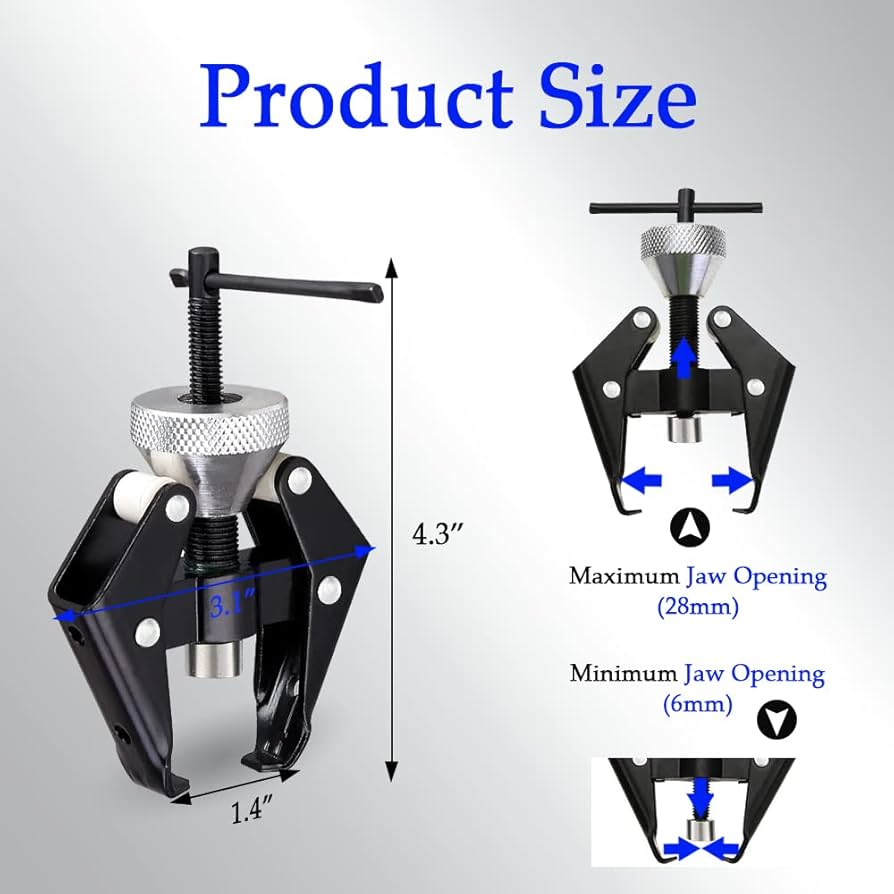
You only need five basic tools to replace your Kia battery properly: a 10mm wrench for terminal connections, protective nitrile gloves, safety glasses, a wire brush for cleaning corrosion, and a battery terminal puller. The puller is crucial—never yank terminals off with pliers as this damages cable ends and creates future connection issues. For heavier batteries in larger models like the Telluride, a battery carrying strap prevents strain injuries when lifting the 35-50 pound unit.
Safety Gear That Prevents Serious Injuries
Battery acid can cause permanent damage to skin and eyes, so proper protection isn’t optional. Wear chemical-resistant nitrile gloves (not latex) and ANSI-approved safety glasses that seal around the eyes. Work in well-ventilated areas only—batteries emit explosive hydrogen gas during charging cycles. Keep a box of baking soda nearby to neutralize any acid spills immediately. Never wear metallic jewelry that could accidentally bridge terminals and cause severe burns.
Locate Your Kia’s Battery by Specific Model

Standard Under-Hood Positions
Most conventional Kia models position the battery in predictable locations: the Cadenza and K900 tuck theirs in the driver’s side rear corner, while the Forte and Rio place it near the passenger side front. The Sorento and Telluride position their batteries against the firewall on the driver’s side. Look for the rectangular black case with red and black terminal covers—Kia typically uses Group 24F or 35 batteries depending on model year.
Hidden Battery Locations Requiring Special Attention
Electric and hybrid Kias hide their batteries in less accessible spots. The Soul EV stores its battery beneath the rear cargo floor, requiring you to remove floor panels first. The Niro Hybrid places its auxiliary battery under the rear passenger seat—a job best left to professionals due to complex electrical systems. If you can’t find your battery under the hood, consult your owner’s manual before proceeding, as forcing access panels could trigger airbag sensors.
Execute the Critical Power-Down Sequence
Prevent Computer System Failures
Disconnecting your Kia’s battery without proper preparation triggers computer errors that mimic serious mechanical problems. First, turn off the ignition and remove the key. Close all doors and windows completely, then wait precisely two minutes for the vehicle’s computers to enter sleep mode. Move your key fob at least ten feet away during replacement—Kia’s smart systems can detect proximity and prevent proper reset.
Avoid Radio Code Lockouts
Nothing frustrates owners more than a locked radio after battery replacement. Use an OBD-II memory saver plugged into your cigarette lighter to maintain power during swap, or write down all radio presets beforehand. Have your radio security code ready—check your owner’s manual or glove compartment for the card Kia provided. Models from 2018 onward often require dealer programming if you skip this step.
Remove the Old Battery Using Proper Technique
Disconnect Terminals in Correct Sequence
Always disconnect the negative terminal (black, marked “-“) first. Loosen the 10mm nut slightly, then gently twist the terminal side-to-side while pulling upward—never force it. Secure the disconnected cable away from the battery with tape. Only then should you remove the positive terminal (red, marked “+”) using the same technique. Reversing this sequence risks short-circuiting your entire electrical system.
Lift the Battery Safely Without Spills
Kia batteries weigh significantly more than they appear—typically 35-50 pounds. Bend at the knees, not the waist, when lifting. If corrosion covers the terminals, use your carrying strap to avoid contact with acidic residue. Place the old battery upright on cardboard (never directly on concrete, which discharges batteries). Check for cracks in the battery case that could indicate acid leakage requiring special cleanup.
Install Your New Kia Battery Correctly
Prepare Terminals for Optimal Connection
Clean both cable ends thoroughly with your wire brush until shiny metal appears. Apply dielectric grease to prevent future corrosion—this simple step doubles terminal life. Inspect cables for cracks or fraying that would cause intermittent electrical problems. Position your new battery with the positive terminal facing forward as Kia originally installed it—reversing orientation stresses cables and causes premature wear.
Connect in Reverse Order With Precision
Secure the battery with the hold-down clamp first—snug but not overtightened, as excessive force cracks the plastic case. Connect the positive terminal before the negative, ensuring connections are finger-tight plus a quarter-turn with your wrench. Test security by trying to twist cables—they shouldn’t move. Wipe any grease or debris from the battery top to prevent electrical leakage across terminals.
Reset All Affected Electronic Systems Immediately
Restore Power Window Auto-Function
Kia’s auto-up/down window feature fails after battery replacement. To reset: close all windows completely, then pull up and hold each window switch for two seconds after full closure. Repeat for opening by pressing and holding each switch downward past the auto position. Test each window three times to confirm proper operation—skipping this causes windows to stop midway unexpectedly.
Recalibrate Steering Angle Sensors
Modern Kias require steering sensor recalibration to prevent stability control warnings. Start the engine, slowly turn the wheel fully left, then fully right, returning to center. Drive straight at 10+ mph for five minutes. If the stability control light remains on, visit a dealership for electronic recalibration—this isn’t user-serviceable on most models.
Avoid These Costly Installation Mistakes
Terminal Connection Errors That Cause Damage
Connecting positive to negative terminals creates catastrophic electrical damage costing thousands to repair. Even momentary contact causes sparks that fry sensitive modules. If fuses blow immediately after installation, you’ve reversed polarity—disconnect immediately and verify terminal positions. Never force connections; misaligned terminals indicate incorrect battery placement.
Computer System Oversights That Trigger Warnings
The most common post-replacement issue is the check engine light appearing due to computer system resets. While this usually clears after 10 drive cycles, persistent lights indicate deeper issues. Power seat memory loss and clock resets are normal—simply reprogram preferences. Persistent warning lights after proper reset procedures require professional diagnostics.
Select the Perfect Replacement Battery for Your Model
Match CCA Ratings to Your Climate
Kia specifies minimum Cold Cranking Amps (CCA) based on model and climate. Compact models like the Rio require 400-450 CCA, while larger SUVs like the Telluride need 600+ CCA for reliable winter starts. In extreme cold regions, upgrade 20% above minimum specifications. Hybrid models like the Niro require special AGM (Absorbent Glass Mat) batteries that conventional auto parts stores often don’t stock.
Verify Physical Dimensions Before Purchase
Don’t assume all “Kia batteries” fit your specific model year. Group 24F fits most sedans and SUVs, but compact models use Group 35. Measure your old battery’s length, width, and height before purchasing. Check your owner’s manual for exact specifications—some 2020+ models require top-post terminals instead of standard side posts. An incorrectly sized battery won’t secure properly and can shift during driving.
Properly Dispose of Your Old Battery and Claim Refunds
Maximize Your Core Charge Return
Auto parts stores refund $10-20 core charges when you return old batteries with your new purchase. Keep your receipt and bring the old battery within 30 days—many stores deny refunds for delayed returns. Transport batteries upright in plastic trays secured with bungee cords; never place in passenger compartments where acid leaks could endanger occupants.
Environmentally Safe Recycling Practices
Kia batteries contain lead and sulfuric acid requiring special handling. Municipal recycling centers accept them free, but call ahead for hours. Never discard in regular trash—this violates environmental regulations in all 50 states. If your battery case is cracked, neutralize leaks with baking soda before transport to prevent damage to your vehicle.
Properly changing your Kia’s battery protects expensive electronics while saving you significant money. The critical sequence—negative terminal first during removal, positive first during installation—prevents costly electrical damage that triggers multiple warning lights. After replacement, dedicate 10 minutes to resetting power windows and other affected systems rather than visiting a dealership for “repairs” that you can perform yourself. Most importantly, secure the new battery properly—loose batteries cause more electrical failures than any other installation error. With these model-specific procedures, your Kia will start reliably for years while maintaining all electronic features intact.


