
Your Tesla’s 12V battery might seem insignificant compared to the massive traction battery, but it’s the silent workhorse powering everything from your door handles to the touchscreen. When this critical component begins failing, you’ll notice flickering screens, sluggish door responses, or worse—being completely locked out of your vehicle. Learning how to check Tesla 12V battery health can prevent these frustrating situations and save you from unexpected breakdowns. Many Tesla owners overlook this small but vital battery until problems arise, but proactive monitoring keeps your driving experience seamless.
While Tesla’s service centers offer professional diagnostics, understanding the process empowers you to recognize issues early and communicate effectively with technicians. This guide covers exactly how to check Tesla 12V battery condition through both preliminary self-assessment and professional service options. You’ll learn the warning signs that indicate a failing battery, how to schedule the right type of diagnostic service, and what to expect during the evaluation process—all crucial steps in maintaining your vehicle’s reliability.
Recognize Early Warning Signs of 12V Battery Failure
Identify Critical Performance Issues
When your Tesla’s 12V battery begins deteriorating, specific system behaviors signal trouble. Watch for these unmistakable indicators that you need to check Tesla 12V battery health immediately:
- Touchscreen malfunctions: Random reboots, frozen displays, or error messages about system communication failures
- Delayed door handle response: Noticeable lag when approaching with your key fob or phone as the handles fail to deploy promptly
- Unusual interior lighting behavior: Lights that appear dimmer than normal, especially during vehicle startup sequences
- Failed software updates: Update processes that stall, fail repeatedly, or cause unexpected system resets
- Climate control irregularities: HVAC system that behaves erratically or fails to activate when requested
These symptoms often appear gradually, making them easy to dismiss as temporary glitches. However, consistent occurrence across multiple systems typically points directly to 12V battery issues rather than isolated component failures.
Perform a 2-Minute Preliminary Assessment
Before scheduling service, conduct this quick visual check to verify if you need to check Tesla 12V battery condition professionally:
- Access battery status: Navigate to Controls > Service > Battery Health on your touchscreen
- Check for alerts: Look specifically for “12V battery needs service” warnings or similar notifications
- Test handle responsiveness: Approach your vehicle from various angles, noting any inconsistent or delayed handle deployment
- Observe startup behavior: Pay attention to multiple system reboots during startup or unusual delays in system initialization
This simple assessment provides valuable information to share with Tesla service when you schedule your diagnostic appointment, potentially accelerating the troubleshooting process.
Schedule Professional 12V Battery Diagnostics
Book Through Tesla App Service Portal
Tesla’s streamlined scheduling process makes it simple to arrange your diagnostic appointment when you need to check Tesla 12V battery health:
- Open Tesla app and select your specific vehicle
- Tap “Service” from the main navigation menu
- Choose “Battery and Charging” as your service category
- Specify “12V battery health check” in your issue description field
- Select your preferred service method: Mobile Service (at home/work) or Service Center visit
- Pick an available time slot that fits your schedule
- Confirm appointment details and receive immediate booking confirmation
This digital-first approach eliminates phone tag and gets your vehicle into the diagnostic queue efficiently.
Mobile Service Diagnostic Advantages
For 12V battery checks specifically, Mobile Service often provides the most convenient solution:
- Location flexibility: Technicians come directly to you, saving travel time
- Faster scheduling: Mobile appointments typically have shorter wait times than Service Center visits
- Same diagnostic quality: Portable equipment delivers identical testing capabilities to Service Centers
- Immediate resolution: If your battery fails testing, technicians can often replace it on-site during the same visit
This service model aligns perfectly with the relatively straightforward nature of 12V battery diagnostics and potential replacement.
Understand Professional Diagnostic Testing Process

Comprehensive Battery Evaluation Protocol
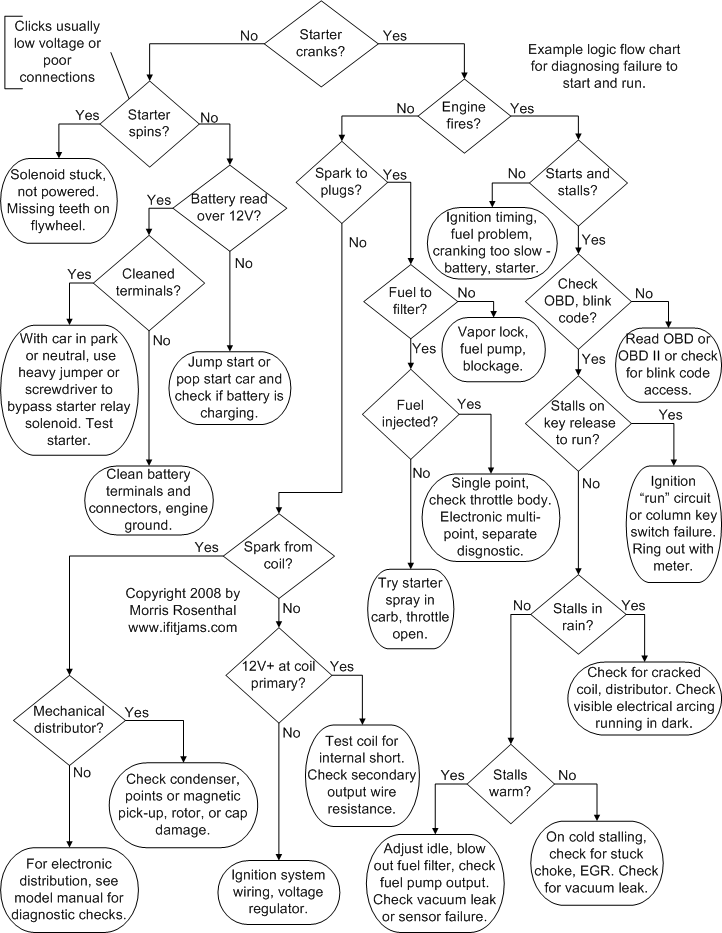
When technicians arrive to check Tesla 12V battery health, they follow Tesla’s standardized diagnostic protocol:
Voltage Verification
– Measure static voltage with vehicle completely powered down
– Test dynamic performance under simulated accessory loads
– Assess charging rate from the main traction battery system
Load Testing
– Evaluate cold-cranking amps capability
– Simulate multiple door handle deployment cycles
– Test touchscreen startup sequences under load conditions
System Integration Analysis
– Verify communication with Battery Management System (BMS)
– Detect parasitic drain during vehicle sleep modes
– Confirm proper integration with wake cycle protocols
Specialized Diagnostic Equipment Used
Tesla technicians utilize purpose-built tools specifically designed for 12V battery assessment:
- Tesla diagnostic computers that interface directly with vehicle CAN bus systems
- Calibrated load testers engineered for precise Tesla 12V system measurements
- Thermal imaging cameras to identify abnormal electrical heat signatures
- Specialized extraction tools for safe battery removal without damaging surrounding components
This equipment ensures accurate assessment of your 12V battery’s actual condition rather than relying on guesswork or generalized testing procedures.
Prepare for Your Diagnostic Appointment
Pre-Service Optimization Checklist
Maximize diagnostic efficiency by completing these simple preparations before your technician arrives to check Tesla 12V battery health:
- Ensure adequate charge: Maintain at least 50% main battery level to support diagnostic procedures
- Clear vehicle access: Remove obstacles around your Tesla for technician mobility
- Document specific symptoms: Note when issues occur (e.g., “handle delay every third approach”)
- Gather service history: Have previous maintenance records available if relevant
Essential Technician Questions
Make the most of your diagnostic appointment by asking these critical questions when you check Tesla 12V battery condition:
- “What’s the battery’s current state of health percentage?”
- “What’s the expected remaining service life based on current metrics?”
- “Are there any contributing factors I should address to extend battery life?”
- “What specific symptoms should trigger an immediate service request?”
Interpret Your Diagnostic Results
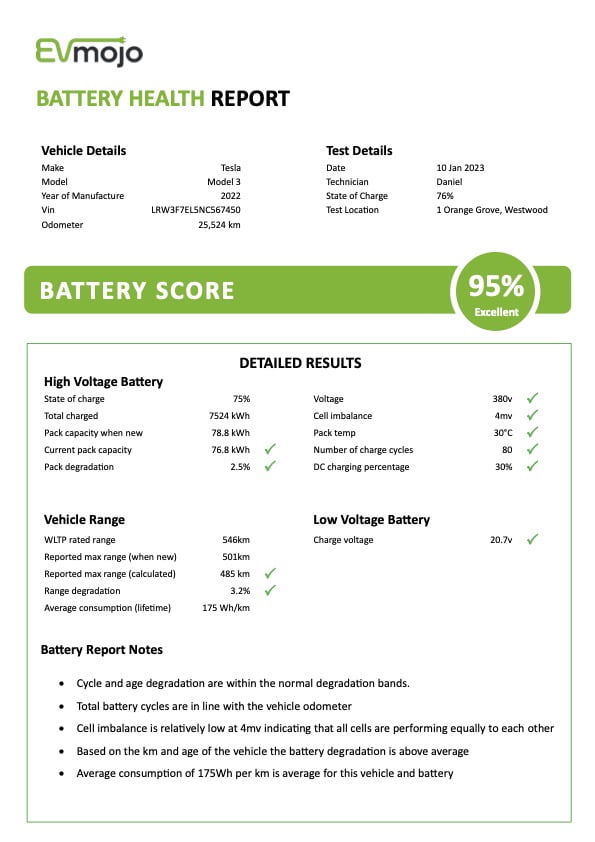
Decoding Battery Health Metrics
Your service report will include these key measurements to help you understand how to check Tesla 12V battery health:
Voltage Readings
– Above 12.6V: Strong condition with no immediate concerns
– 12.4-12.6V: Adequate performance but monitor closely for changes
– Below 12.4V: Significant degradation requiring replacement planning
Load Test Results
– Pass: Battery maintains required voltage under operational load
– Marginal: Functional but declining performance under stress
– Fail: Cannot sustain voltage during normal vehicle operations
Replacement Decision Guidelines
Tesla recommends 12V battery replacement when:
- Health metrics drop below 70% of original capacity
- Voltage sags occur during normal accessory operation
- Battery age exceeds 4-5 years regardless of measured health
- Physical damage like corrosion, leaks, or swelling becomes visible
Schedule Your Preventive Diagnostic Check
Your Tesla’s 12V battery rarely fails catastrophically—it gradually degrades until multiple systems start malfunctioning simultaneously. By recognizing early warning signs and knowing how to check Tesla 12V battery health through Tesla’s service network, you avoid inconvenient breakdowns and maintain your vehicle’s reliability. Whether you choose Mobile Service convenience or Service Center thoroughness, professional diagnostics provide complete visibility into your 12V system’s condition.
Don’t wait for your touchscreen to freeze or door handles to stop working—schedule your 12V battery check today and drive with confidence knowing your Tesla’s electrical foundation remains solid. Establish a routine to check Tesla 12V battery condition every six months, and you’ll significantly reduce unexpected service needs while extending your vehicle’s overall operational reliability.


