
Your Tesla feels sluggish on winter mornings—regenerative braking sputters, charging speeds plummet, and your range display drops like an anchor. That’s your battery protesting the cold. But you don’t need to brave freezing temperatures to fix it. With just your smartphone, you can warm your Tesla’s battery remotely through the official app, restoring full performance before you even step outside. This isn’t theoretical: Tesla owners in Minnesota and Norway routinely gain 15% more range and cut Supercharger stops by 10 minutes using these techniques. In this guide, you’ll master every method to precondition your Tesla battery from the app—including manual triggers, automated schedules, and Supercharger hacks—so you conquer cold weather with zero wasted time.
Manual Battery Warm-Up via Climate Controls
When you need immediate battery warming for an unplanned trip, the Climate tile delivers the fastest solution. This works whether you’re parked at home, the office, or the grocery store—no schedule required.
Activate Preconditioning in Under 10 Seconds
Open the Tesla app, tap your vehicle tile, then select Climate. Ignore the temperature sliders and tap Preconditioning (avoid “Preconditioning + Charge” unless you also want to add power). Instantly, your car begins warming both the cabin and battery. Watch for confirmation: the Climate tile changes to “Heating…” and your car’s display shows orange heat-grid lines instead of the blue snowflake icon. This visual shift means the battery is actively warming—critical for restoring regenerative braking.
Perfect Timing for Maximum Effect
Preconditioning duration depends entirely on temperature. Below 32°F (0°C), allow 20-45 minutes. Between 32-45°F (0-7°C), 10-20 minutes suffices. Pro tip: Test readiness by shifting into Drive—the regen bar should glow solid green. If it flickers or stays narrow, wait 5 more minutes. Never skip this check: driving with a cold battery wastes up to 30% more energy during your first 10 miles.
Automate Daily Warm-Ups with Scheduled Departure
For consistent morning commutes, Scheduled Departure eliminates manual app checks. Your Tesla wakes itself, warms the battery, and preps the cabin—all while plugged in to avoid draining your range.
Set Up One-Time, Use Forever
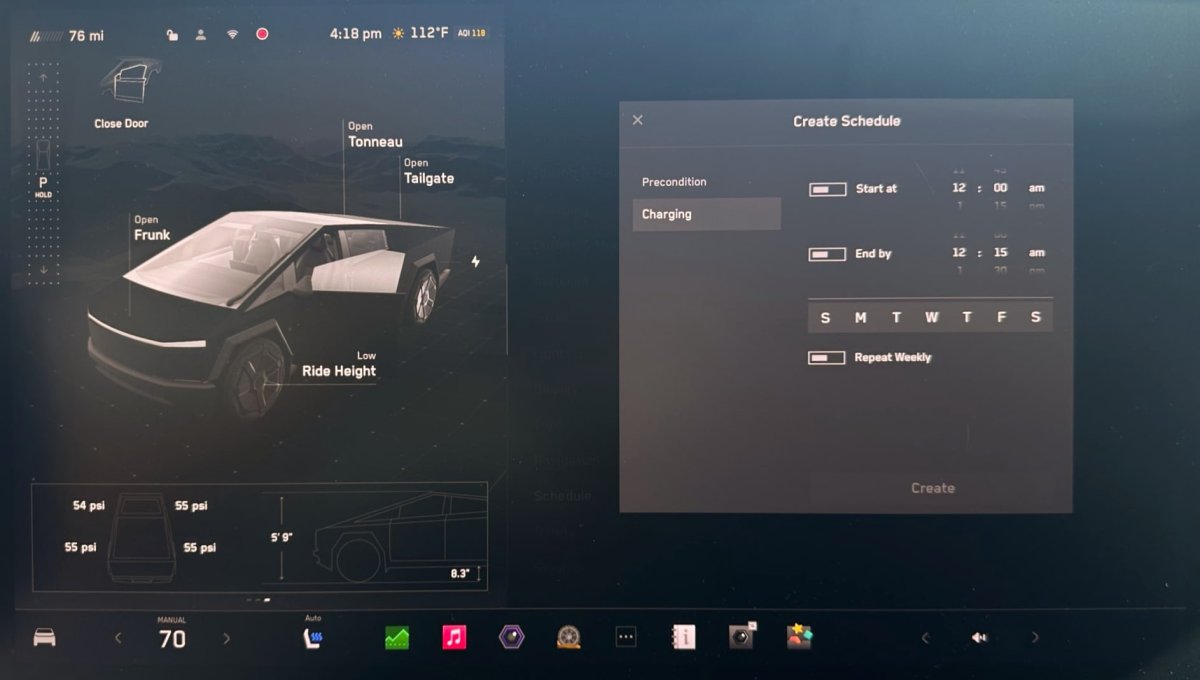
Navigate to Charging → Scheduled Departure in the app. Set your exact departure time (e.g., 7:15 AM), toggle Precondition ON, and select days. Critical step: Ensure your car remains plugged in overnight. Tesla’s system intelligently sequences this: it finishes charging first, then starts warming 30-45 minutes before departure. By the time you unlock the door, both battery and cabin hit optimal temperatures—no more scraping ice while waiting for regen to activate.
Why This Beats Manual Preconditioning
Scheduled Departure uses wall power exclusively, costing pennies per session. Manual preconditioning often gets forgotten, leaving you stranded with limited regen. One Denver owner reported saving 12 minutes daily by automating this—adding 73 hours back to their year. If your schedule shifts, simply adjust the time in-app; the car adapts instantly.
Trigger Supercharger-Optimized Warming Automatically
When navigating to any Supercharger, your Tesla silently preconditions the battery for peak charging speeds—no app commands needed. But understanding the triggers ensures you maximize this hidden feature.
How Navigation Activates Battery Heating
Enter a Supercharger as your destination in the car’s navigation (not the app). The Battery Management System calculates distance, current battery temp, and ambient conditions. It then initiates high-intensity warming 30-45 minutes before arrival. Check the app’s Charging tab for “Preconditioning battery for fast charging.” This targets two critical conditions: battery temperature ≥86°F (30°C) and state of charge ≤30%. Achieve both, and you’ll sustain 250kW charging rates instead of crawling at 100kW.
Manual Override for Non-Navigation Trips
If you’re not using navigation, start preconditioning manually 45 minutes before arrival. Tap Climate → Preconditioning while plugged in. This mimics the navigation trigger but requires you to time it precisely. Skip this step, and your first 20 minutes at the Supercharger will be spent warming the battery—not adding range.
Decode Preconditioning Symbols Like a Pro
Misinterpreting app or dashboard icons wastes time and energy. Knowing these signals confirms your battery is warming correctly.
App vs. In-Car Indicators
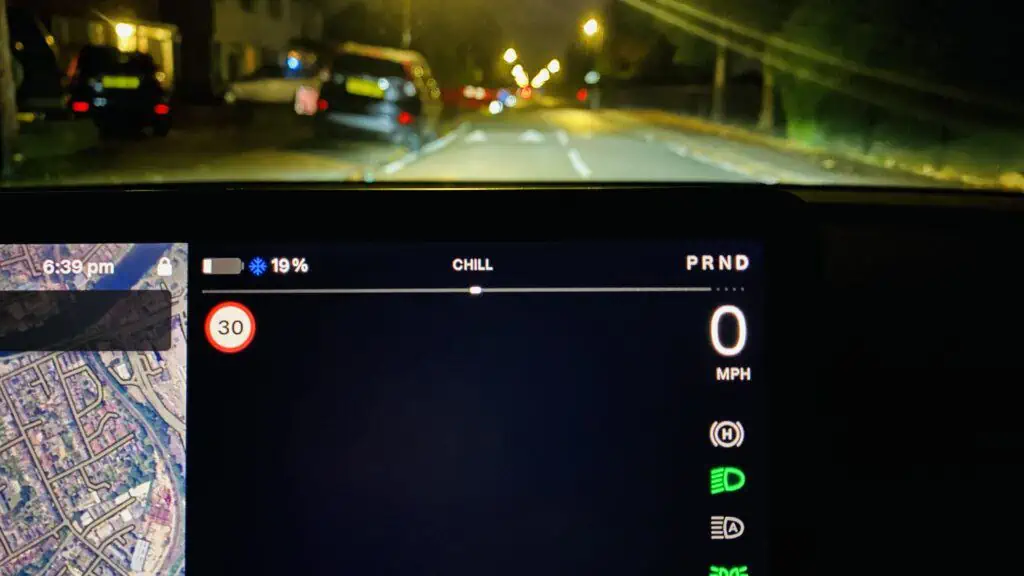
When preconditioning runs, the app’s Climate tile shows “Heating…”—but this only confirms activation, not completion. For true readiness, check your car’s display: disappearing blue snowflakes and solid orange heat-grid lines mean the battery is warm. Warning: If you see “Preconditioning battery for fast charging” in the app but no orange lines in-car, your EVSE can’t supply enough power. Unplug briefly to force the car to use battery power for heating.
Cut Energy Waste During Preconditioning
Preconditioning costs energy, but smart settings slash consumption by 60%. Plugged-in operation is non-negotiable for efficiency.
Plugged-In vs. Unplugged Costs
When plugged in, preconditioning uses wall power exclusively—zero impact on your driving range. Unplugged, it drains 1-3% battery per 15 minutes. At -4°F (-20°C), preconditioning unplugged for 30 minutes could burn 6% of your total range. Cost reality check: Home preconditioning (12¢/kWh) costs $0.30 for 30 minutes. Skipping it costs more: a cold battery adds 15 minutes to Supercharger stops, wasting $4+ in time.
Avoid These 4 Costly Preconditioning Mistakes
Even experienced owners sabotage their efforts with these errors. Fix them to save energy and frustration.
Mistake 1: Hunting for “Battery-Only” Mode
Tesla doesn’t offer separate battery/cabin heating controls. Tapping Preconditioning always warms both. Trying to “just heat the battery” by setting cabin temps to 60°F wastes energy—the system ignores cabin requests during preconditioning.
Mistake 2: Preconditioning in Mild Weather
Below 45°F (7°C), preconditioning boosts range and charging speed. Above 50°F (10°C), it’s useless—your battery self-regulates. One owner preconditioned daily at 68°F for a month, burning 12% extra energy for zero benefit.
Troubleshoot Failed Preconditioning in 5 Minutes
When preconditioning won’t start, skip dealership visits—fix it yourself with these steps.
Step 1: Wake the Car Properly
Stale battery readings in the app mean the car is asleep. Open the driver’s door or press the brake pedal for 10 seconds. Wait until the app shows live SoC updates before retrying. Pro tip: Disable Sentry Mode overnight—it deepens sleep cycles and delays preconditioning startup.
Step 2: Bypass Software Glitches
If icons still don’t appear, reboot your car: hold both steering wheel scroll buttons + brake pedal for 10 seconds. For persistent issues, force-close the Tesla app and restart your phone—older iOS versions often block thermal commands.
Optimize Preconditioning by Season
Your strategy must adapt to weather shifts. Summer requires zero battery prep but smart cabin cooling.
Winter vs. Summer Tactics
In winter, precondition 20 minutes before driving if unplugged, or rely on Scheduled Departure when plugged in. In summer, skip battery preconditioning entirely—only use Climate for cabin comfort 5 minutes pre-drive. Key insight: At 95°F (35°C), preconditioning the cabin cools the battery indirectly, preventing thermal throttling during fast charging.
Master Long-Term Storage Preconditioning
For trips over 7 days, preconditioning prevents battery degradation during storage.
Storage Protocol
Keep your Tesla plugged in at 50-60% charge. Every 7 days, precondition for 15 minutes via the app to redistribute battery chemistry. Never store below 20% SoC—this strains cells when warming later. After storage, precondition 30 minutes before driving regardless of temperature; “sleeping” batteries need reactivation to deliver full power.
Key Takeaway: Preconditioning your Tesla battery from the app transforms cold-weather driving from a chore into a seamless experience. Automate daily commutes with Scheduled Departure, trigger Supercharger-optimized warming via navigation, and always precondition while plugged in to protect your range. Within one week of using these techniques, you’ll notice stronger regenerative braking, faster charging, and restored winter range—all controlled from your couch. Start tonight: set a Scheduled Departure for tomorrow morning, leave your car plugged in, and step into a warm cabin with a fully conditioned battery. Your Tesla is designed to perform in any climate—now you hold the remote control.


