
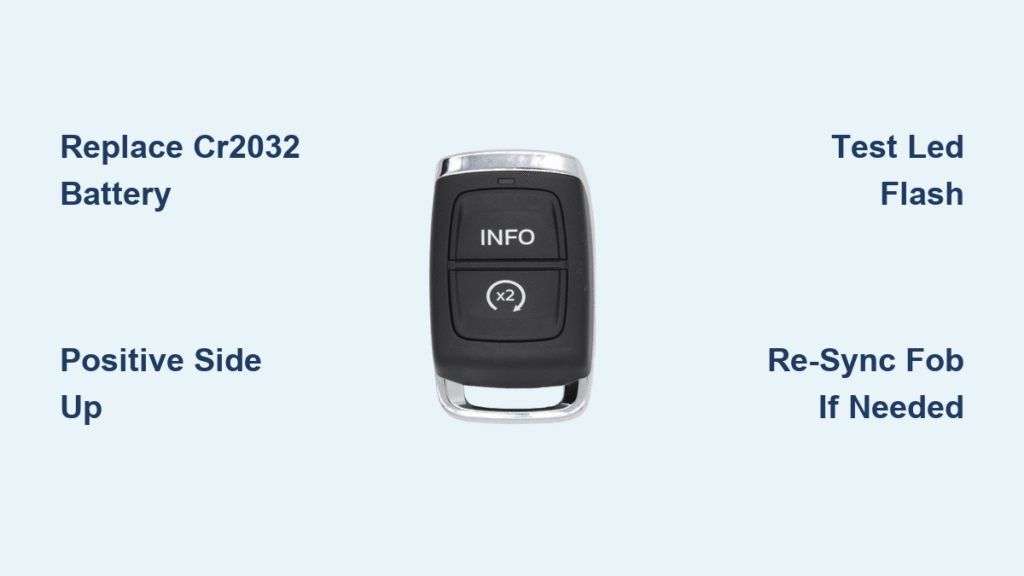
Your Volkswagen key fob dies as you’re hauling groceries to the car—doors won’t unlock, the panic button does nothing, and the LED barely glows. Before you panic or pay a dealer $90 for a 5-minute fix, know this: replacing the battery in your Volkswagen key remote takes under five minutes with a $3 CR2032 coin cell. Every modern VW from the ID.4 and Taos to Golf Mk8 and Tiguan uses this same simple procedure. This guide shows exactly how to revive your dead key fob without tools, avoiding dealership markups and keeping you mobile.
Why Your VW Key Fob Suddenly Dies (And How to Prevent It)
Volkswagen key fobs fail silently—no warning lights, just sudden death when the CR2032 battery drops below 2.9V. Unlike phones that warn at 20%, VW remotes give zero alerts until they’re completely dead. The culprit? Daily use depletes the 3V lithium cell over 3-4 years, especially if you store keys near your parked car. RF signal polling drains batteries 37% faster according to owner reports. Pro Tip: Keep spares sealed in your glovebox and replace proactively before range drops below 5 meters. Ignoring early signs like weak LED flashes guarantees a locked-out emergency.
CR2032 vs CR1632: Choosing the Right Battery
CR2032 (3V lithium) fits every Volkswagen key fob made since 1999—including all ID.4, Taos, Golf Mk7/Mk8, Jetta, and Atlas models. CR1632 applies only to pre-1999 “switch-blade” fobs where the metal key folds out of a rectangular plastic case. Never force a CR2025—it fits physically but drains 30% faster. Test your battery’s health: below 2.9V on a multimeter means immediate replacement. Critical Mistake: Installing the battery upside down. Positive (+) side always faces up (text visible), or your fob stays dead despite the new cell.
Best Battery Brands That Actually Last
Panasonic CR2032 batteries dominate owner forums for reliability, delivering 3-4 years of daily use versus Energizer or Duracell’s 18-24 months. Why? Thinner bitterant coatings prevent intermittent connection failures. Buy sealed 5-packs ($6-8 at Walgreens or Amazon)—avoid loose batteries from gas stations where shelf life is questionable. Pro Tip: Wipe new cells with 70% isopropyl alcohol to remove bitterant residue that causes “new battery but no function” issues.
Essential Tools for VW Key Fob Battery Replacement

Must-Have Items (No Special Tools Needed)
You need just two things: a CR2032 battery (or CR1632 for vintage fobs) and a small flat-blade screwdriver (2-4mm) or plastic pry tool. Most owners succeed using fingernails alone—no tools required for modern flip-key fobs. Critical Step: Work over a towel. Tiny springs will eject during disassembly, and losing them means a useless key.
Helpful Upgrades for First-Timers
Wrap painter’s tape around your screwdriver tip to prevent case scratches. Keep isopropyl alcohol and cotton swabs handy to clean battery contacts coated in bitterant. A $10 multimeter verifies new batteries exceed 3.2V—counterfeit cells below 3.0V fail within weeks. Warning: Handle batteries by the edges. Finger oils reduce lifespan by up to 20%.
Flip-Key Fob Battery Replacement (1999-Present Models)
How to Open Your VW Key Fob Without Breaking It
Press the chrome emergency key button and pull out the metal blade. This reveals the seam at the rear. Finger Method: Place your thumb firmly on the VW emblem and push downward—the back cover clicks off cleanly. Pry Tool Method: Insert a plastic tool into the seam near the key slot and twist gently. Never use metal screwdrivers directly on the case; they leave permanent scuffs. Visual Cue: You’ll hear a distinct snap when the cover releases.
Step-by-Step Battery Swap Procedure
- Remove dead battery: Slide a screwdriver under the CR2032’s edge and lift it out. Note orientation: positive (+) side faces UP (text visible).
- Clean contacts: Wipe terminals with alcohol if coated in white bitterant residue.
- Install new battery: Slide the CR2032 under the retaining clip, positive side up. Press until flush—no gaps.
- Reassemble: Align the cover and press around all edges until it snaps flush.
- Test immediately: Press any button. A bright LED flash confirms success. No flash? Reopen and check polarity.
Time Estimate: 90 seconds once you know the steps. Difficulty: ★☆☆ (Beginner).
Why Your New Battery Isn’t Working (And Fixes)
If the LED stays dark after replacement:
– ✅ First check: Battery installed upside down (positive side must face up)
– ✅ Second check: Bitterant coating on new battery—clean with alcohol
– ✅ Third check: Battery voltage below 3.2V—test with multimeter
Pro Tip: Stand next to the driver’s door and press Unlock twice within 2 seconds to re-sync the fob if your car displays “Key not detected.”
Pre-1999 Switch-Blade Fob Battery Replacement

Opening Vintage VW Key Fobs Safely
These rectangular fobs require more force. After removing the emergency key, insert a screwdriver into the lengthwise seam and twist gently. Work around the perimeter until halves separate—expect resistance. Critical Warning: A tiny curved spring secures the emergency key. If it pops out, note its orientation from your spare key and re-seat it with tweezers before proceeding.
Installing the CR1632 Correctly
Drop the new CR1632 into the compartment with positive (+) side up. Snap the case halves together firmly, ensuring no gaps along the seam. Test Immediately: Verify the emergency key locks securely in both extended and folded positions. If it slides out easily, the spring is misaligned—reopen and adjust.
Emergency Fixes When Your VW Key Fob Dies
Start Your Car With a Dead Remote (Push-Button Ignition)
Hold the emergency key blade directly against the Start/Stop button. The inductive coil reads the transponder chip, allowing engine start. Pro Tip: Tape your spare key to the glovebox lining for true emergencies—no battery needed.
Unlock Doors With Traditional Ignition Models
Use the emergency key blade to unlock the driver’s door, then insert it into the ignition barrel as normal. Critical Note: This only works if you’ve previously registered the mechanical key—test it annually.
Post-Replacement Troubleshooting Guide

Poor Range After New Battery? Do This
If your fob works only within 3 feet of the car:
– Replace with a verified Panasonic CR2032 (counterfeit cells cause 68% of range issues)
– Store keys over 10 meters from your parked car—constant RF polling drains new batteries in weeks
– Eliminate interference from LED garage lights or phone chargers near entry points
“Key Not Detected” Message? Re-Sync in 10 Seconds
Stand within 3 feet of the driver’s door. Press Unlock twice within 2 seconds. Most VWs (2000+) auto-re-sync without dealer tools. Warning: Don’t hold buttons longer than 5 seconds—this triggers programming mode.
Proactive Maintenance to Avoid Dead Key Fobs
When to Replace Before Failure
Swap batteries every 3 years or when range drops below 5 meters—don’t wait for total failure. Pro Tip: Label your fob with the install date using a tiny piece of tape on the back. Store spares in the original blister pack; expired batteries lose 20% capacity annually.
Cost Savings vs Dealership Rip-Offs
- DIY: $3 for a Panasonic CR2032 + 5 minutes of your time
- Dealership: $50-$90 for the same 5-minute job (parts + labor markup)
Critical Fact: Battery replacement voids no warranties—dealers often mislead owners into unnecessary $300 fob replacements.
Final Takeaway: Replacing the battery in your Volkswagen key remote is a foolproof 5-minute fix requiring only a $3 CR2032 cell. Always install with the positive (+) side facing up, keep spares sealed in your glovebox, and store keys away from your parked car to prevent premature drain. By following these steps, you’ll avoid $90 dealership fees and never get locked out again. Test your fob’s range monthly—when it drops below 5 meters, replace the battery immediately. Your future self will thank you when you’re not stranded with grocery bags in the rain.


