
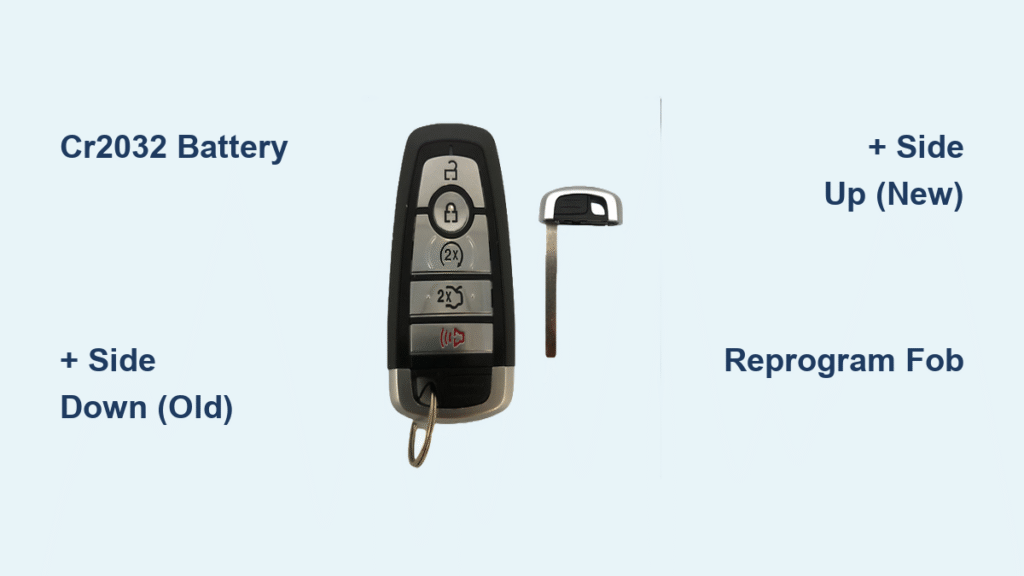
You’re standing in a grocery store parking lot, pressing your Ford Fusion key fob button repeatedly with zero response. That sinking feeling hits—your car won’t unlock, the trunk won’t pop, and you’re stranded with a dead fob. Before you call roadside assistance or rush to the dealership for a $150 replacement, take a breath. Replacing your Ford Fusion key fob battery takes just five minutes and costs under $5. This guide walks you through model-specific steps for every Fusion year (2006-2020), troubleshoots common post-replacement issues, and shows you how to start your car when the fob dies unexpectedly. You’ll never pay for unnecessary repairs again.
Most Fusion owners don’t realize their key fob contains a simple CR2032 coin battery that dies predictably every 2-4 years. Extreme temperatures, frequent remote start use, or simply age can drain it. The warning signs are unmistakable: needing to stand within 5 feet of your car, double-pressing buttons, or complete failure to unlock doors. Fortunately, Ford designed these fobs for DIY battery replacement—no special tools required. By the time you finish this guide, you’ll confidently swap batteries anywhere, from your kitchen counter to a parking lot, saving $40-$100 per incident.
CR2032 vs CR2025: Choosing the Right Battery for Your Ford Fusion
Stop buying the wrong battery—99% of Fusion fobs need CR2032. While CR2025 looks identical (same 20mm diameter), it’s thinner and delivers 30% less power. Using it causes weak signal range or total failure. Verify your fob by popping it open first—CR2032 measures 3.2mm thick versus CR2025’s 2.5mm. Never substitute CR2016 batteries; they lack sufficient voltage for Fusion systems.
Battery lifespan depends entirely on your habits:
– Daily remote start users: Replace every 18-24 months
– Average drivers: 2-4 years is typical
– Garage-stored cars: Batteries last up to 5 years in stable temperatures
– Critical warning signs: Trunk release fails first, followed by lock/unlock functions requiring proximity below 10 feet
Identify Your Ford Fusion Key Fob Style by Model Year

2006-2012 Traditional Remote: Separate Key + Chunky Buttons
Look for a metal key that slides out separately and four distinct buttons (lock/unlock/trunk/panic). The battery hides under a snap-off back cover. Critical visual cue: The panic button is bright red, and the trunk button sits below the lock symbol.
2013-2016 Flip Key Design: Hidden Blade with Remote Start
Your key flips out from the fob body like a switchblade. If equipped with remote start, you’ll see a fifth button (usually with a car icon). Spot the difference: Chrome-trimmed buttons and a smoother plastic shell than earlier models. The battery sits behind the flip mechanism—no separate cover.
2017-2020 Proximity Fob: Sleek Push-Button Start Design
This modern fob has rounded edges, no visible keyhole, and works with push-button ignition. Key identifiers: A small sliding latch on the back near the Ford logo and an emergency key hidden inside. Battery access uses a slide-out tray—never a snap cover.
Quick Steps to Replace Ford Fusion Key Fob Battery
Traditional Fobs (2006-2016 Models)
Tools needed: CR2032 battery + coin or flathead screwdriver
Time estimate: 3 minutes (Difficulty: ★☆☆)
- Slide out the metal key – Press the release button and remove the blade completely
- Split the fob – Insert the key tip into the seam notch, twist gently until halves separate
- Lift the rubber pad – Peel back the button layer to expose the battery
- Swap batteries – Pry out the old CR2032 and drop the new one in (+ side facing down)
- Reassemble – Align halves and press firmly until you hear a distinct click
- Test immediately – Stand 20 feet away and verify all buttons work before closing
Pro tip: Place a paper towel under your workspace—batteries roll easily. If buttons feel mushy after reassembly, the rubber pad is misaligned in the grooves.
Proximity Fobs (2017-2020 Models)
Tools needed: CR2032 battery + emergency key (stored inside)
Time estimate: 4 minutes (Difficulty: ★★☆)
- Slide out the emergency key – Move the latch on the fob’s back and pull the key straight out
- Access the battery tray – Insert the key tip into the revealed slot and slide the tray out smoothly
- Note orientation – + side faces UP in these models (opposite of older Fusions!)
- Install new battery – Drop the CR2032 into the tray, ensuring it sits flat
- Reinsert the tray – Slide it home until you feel/hear a solid click
- Replace the key – Slide it back until flush with the fob body
Critical mistake to avoid: Forcing the tray—damage here requires full fob replacement. If resistance occurs, realign the tray before pushing.
Fix Common Ford Fusion Key Fob Issues After Battery Replacement

Fob Still Dead? Check These 3 Fixes
- Battery orientation error: Traditional fobs require + side down; proximity fobs need + side up—flip it immediately
- Dirty contacts: Wipe the compartment with an alcohol wipe (never water) to remove corrosion
- System reset: Sit in the driver’s seat, cycle the ignition from OFF to RUN 8 times rapidly (ending in RUN), then test
Range Dropped Below 15 Feet?
Dollar-store batteries cause 80% of range issues. Use Energizer, Duracell, or Panasonic CR2032s—they maintain stable 3V output. Also check for interference: remove LED keychain lights or other fobs from your keyring. If range doesn’t improve after these steps, visit a locksmith ($30) for reprogramming—dealers charge $100+ for this simple reset.
Mushy Buttons? Alignment Is Key
During reassembly, the rubber button pad must snap perfectly into the plastic grooves. Test each button’s click before closing the fob. If resistance feels uneven, blow compressed air under the pad to remove debris. A misaligned pad causes premature button failure—don’t skip this check.
When and How to Reprogram Your Ford Fusion Key Fob
Reprogramming is ONLY needed if:
– The fob sat dead for over 2 weeks
– You added a second key fob
– After replacing your car’s main battery
DIY Reprogramming (2014+ Models Only)
1. Sit in the driver’s seat with all doors closed
2. Cycle ignition from OFF to RUN 8 times in 10 seconds (end in RUN)
3. Watch for door locks to cycle—this confirms programming mode
4. Press any fob button within 20 seconds
5. Turn ignition OFF to exit
2006-2013 models require dealer programming—no DIY option exists. Budget $50-$80 if your older Fusion needs reprogramming after battery replacement.
Save $100: Where to Buy CR2032 Batteries and Maintenance Tips
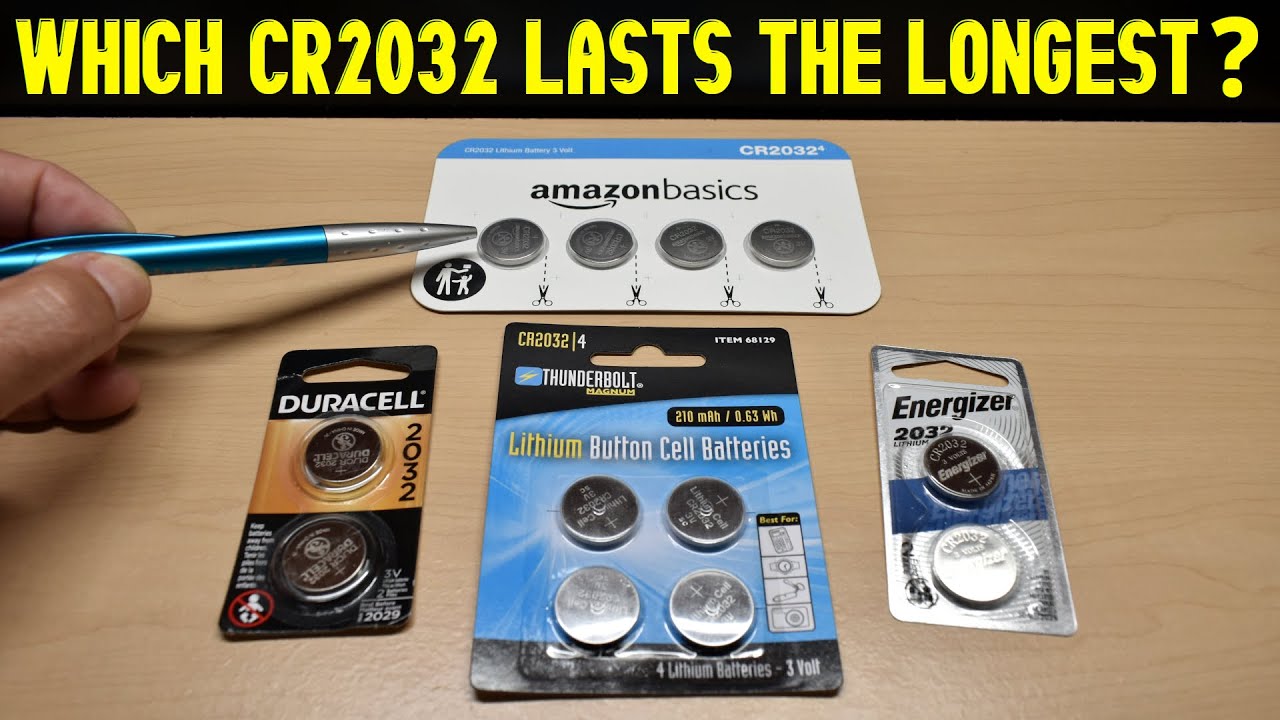
Smart Battery Buying Guide
| Location | Price (Single) | Best For |
|---|---|---|
| AutoZone/O’Reilly’s | $4-$6 | Immediate need + perfect match guarantee |
| Walmart 4-pack | $6-$8 | Keep spares in glove box |
| Amazon 10-pack | $8-$12 | Long-term savings (Prime delivery) |
| Avoid | Dollar stores | Cheap batteries cause 70% of re-replacement issues |
Pro maintenance habits:
– Store spares in your house (not car)—extreme heat in glove compartments reduces battery life by 50%
– Buy batteries with 2027+ expiration dates for full 5-year shelf life
– Use silicone fob covers ($5) to prevent button wear and water damage
Emergency Fixes: Manual Car Entry and Starting Without Key Fob
Get In When Your Fob Dies
All Fusion models hide a mechanical key:
– Pop off the plastic cap on the driver’s door handle using your emergency key
– Insert the key blade into the exposed lock cylinder
– Turn clockwise to unlock (2012 and earlier models also have trunk keyholes)
Start Push-Button Fusions Without Power
For 2017-2020 models:
1. Locate the emergency key slot (center console cupholder or glove box)
2. Hold your dead fob directly against the start button
3. Press brake pedal + start button simultaneously
4. Release start button after engine engages
This bypass works even with a completely dead fob—no battery required.
Recycle Your Old Ford Fusion Key Fob Battery Properly
Drop-off locations with instant recycling:
– Best Buy (front entrance battery bins)
– Home Depot/Lowe’s (customer service desk)
– AutoZone (free recycling with any purchase)
Why this matters: Each CR2032 contains 0.11 grams of lithium. Recycling prevents soil contamination and is legally required in 15+ states. Never toss button batteries in regular trash—they’re classified as universal waste.
Key Takeaway: Replacing your Ford Fusion key fob battery is a five-minute, $4 fix that requires zero mechanical skill. Keep a spare CR2032 in your glove box—when response weakens or buttons lag, swap it on the spot instead of calling for help. For 2014+ models, master the 8-cycle reprogramming trick to avoid dealership fees. Remember: correct battery orientation (+ side up/down varies by model) solves 90% of post-replacement issues. You’ve just saved $100 and gained peace of mind for your next parking lot emergency.


