
Your Mazda 3 won’t start after sitting for weeks, or maybe the check engine light won’t quit flashing. Whatever the reason, how to disconnect Mazda 3 battery is your critical first step—but skipping precautions risks fried electronics, dashboard chaos, or even acid burns. One wrong move with that wrench can trigger expensive repairs. This guide delivers the exact sequence Mazda technicians follow, with model-specific tricks to avoid common pitfalls. You’ll learn why disconnecting the negative terminal first isn’t optional, how to handle seized cables without damaging terminals, and why newer models demand extra caution with intelligent battery sensors.
Most owners assume battery disconnection is trivial, but Mazda’s integrated electronics make it uniquely sensitive. Unlike older cars, your Mazda 3’s computer stores vital calibration data that vanishes when power cuts—wiping radio presets, window memory, and even throttle response. Worse, forcing corroded terminals can snap posts clean off, stranding you with a $200 repair bill. The good news? With the right tools and sequence, you’ll complete this in under 10 minutes while protecting sensitive systems. Let’s get you rolling safely.
Locate Mazda 3 Battery Fast

Finding your battery takes under 30 seconds once you know where to look. Open the hood and scan the front-left corner of the engine bay—most Mazda 3s (2014-2023 models) tuck the battery here as a rectangular black block roughly the size of a shoebox. A snap-on plastic shroud covers it; press the center tab firmly with your thumb and lift straight up. For pre-2014 models, check behind the driver’s-side headlight assembly—remove the flat panel by unclipping its four edge tabs.
Visual cue: Look for two thick cables (one red, one black) bolted to metal posts on top. Never confuse it with the fuse box—your battery will have visible vent caps and weigh 30-50 pounds. If you spot an additional black sensor module wired to the negative terminal (common on 2019+ models), note its position before proceeding—it’s the Intelligent Battery Sensor (IBS) requiring special handling.
Essential Safety Gear Checklist

Skipping protection here risks chemical burns or electrical shorts that could melt wiring harnesses. Battery acid (sulfuric acid) eats through skin and clothing on contact, while a stray wrench across terminals causes violent sparks. Your non-negotiable gear:
- Nitrile gloves (minimum 8-mil thickness) – Acid-resistant and won’t degrade like latex
- ANSI Z87.1 safety goggles – Sealed design prevents splash entry (regular glasses won’t cut it)
- Insulated 10mm wrench – Must have clean, unworn jaws to avoid rounding terminal nuts
Pro tip: Lay an old towel over the fender before starting. Acid drips or tool slips won’t mar paint, and it catches stray nuts. Never wear rings or metal bracelets—accidental contact with the positive terminal and chassis creates instant short circuits.
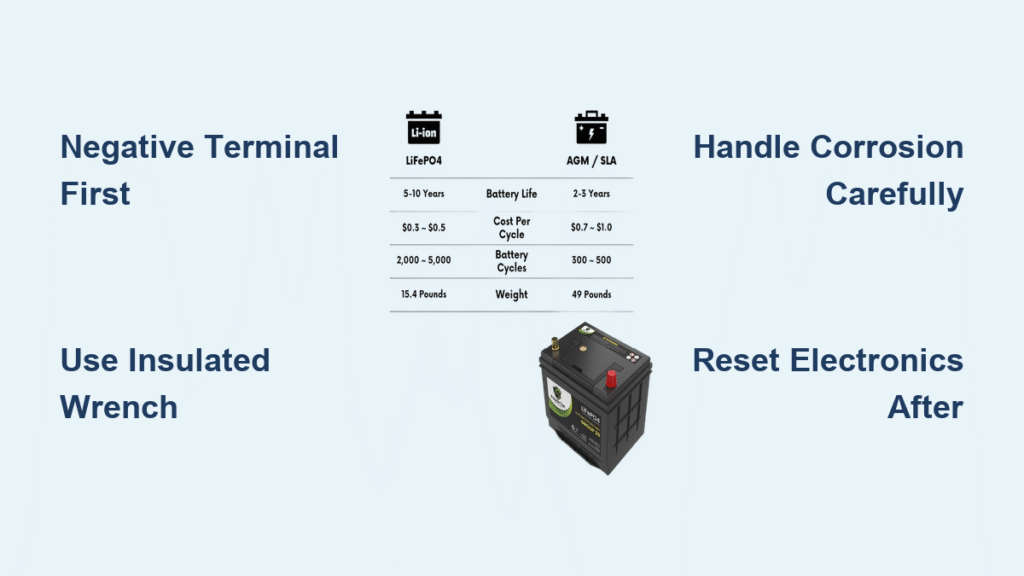
Negative Terminal First Always
Removing the negative terminal first breaks the circuit safely. Locate the black cable marked with a “–” symbol—it may have a black plastic cap that flips open or pulls straight off. Critical mistake to avoid: Never touch both terminals simultaneously with your wrench. Even with ignition off, residual voltage can arc.
No Power Check
Confirm zero electrical load by verifying:
– Ignition key removed from the cabin
– All interior lights extinguished (open driver’s door to test)
– No aftermarket accessories drawing power (dash cams, trackers)
Tool Selection
Most Mazda 3s use a 10mm nut on the terminal clamp, but test-fit your wrench first—some European-market models require 8mm. Use a 6-point socket (not 12-point) to prevent slippage. Loosen the nut by turning counterclockwise just enough to wiggle the clamp, then lift the cable straight up. If it sticks, don’t yank—see stuck terminal fixes below. Immediately tuck the cable behind the strut tower, away from metal surfaces.
Positive Terminal Removal Steps
With the negative cable secured, tackle the red “+” terminal. Unlike the negative side, this live connection can spark if it brushes grounded metal—work deliberately:
- Peel back the red plastic cap – Lift from the edge; don’t tear it
- Loosen the terminal nut – Apply steady pressure counterclockwise (1-2 full turns max)
- Break corrosion seal – Gently twist the connector side-to-side while lifting upward
- Secure immediately – Drape the cable over the hood strut, never letting it dangle
Warning: If you hear a faint hiss or smell ozone during removal, stop—you’ve likely disturbed a weak cell. Ventilate the area and inspect for cracks before proceeding.
Stuck Terminal Quick Fixes
Corrosion bonds or overtightened clamps resist removal. Never pry with screwdrivers—that cracks terminal posts. Try these field-tested solutions:
Penetrating Oil Method
Spray battery terminal cleaner (like CRC 05013) around the post base. Wait 3 minutes for capillary action to break bonds, then wiggle while lifting. Avoid WD-40—it lacks acid-neutralizing properties.
Terminal Puller Tool
Slide this $8 tool (available at AutoZone) under the connector. Squeeze the handles to grip, then twist clockwise while pulling upward. The cam action releases corrosion without leverage damage.
Gentle Rocking Technique
Wear gloves and grip the connector body (not the cable). Apply upward pressure while rocking 15 degrees left/right—never twist the post itself. If resistance increases, reapply cleaner; forcing it shears posts.
Battery Removal When Needed

For full replacement or bench charging, remove the battery after disconnecting both cables:
Remove Hold-Down Clamp
Identify your retention system:
– Top clamp (2014-2018 models): Two 13mm bolts at clamp ends
– Side bracket (2019+ models): Single 10mm J-hook bolt on driver’s side
Loosen bolts completely before lifting—never pry against the battery case.
Safe Lifting Technique
Place one hand under the base and the other on the handle (if present). Lift smoothly while keeping the battery level—tilting spills sulfuric acid. Set it on a plastic tray immediately; concrete floors drain charge from lead-acid batteries.
Electronic Reset After Disconnection
Power loss triggers system recalibrations. Expect these resets:
– Radio presets erased – Reprogram stations immediately
– Clock reset to 12:00 – Set time via infotainment menu
– Window auto-up/down lost – Hold switch up 2 seconds after full closure to relearn
– Throttle response delayed – Drive gently for 10 miles while ECU re-adapts
Critical note: 2020+ models with i-Activ AWD require a dealer scan tool to reset transmission parameters—don’t ignore warning lights after reconnecting.
Reconnect Battery Correctly
Reverse the disconnection order to prevent sparks:
- Position positive cable – Align over terminal without forcing
- Snug the nut – Tighten to finger-tight plus 1/4 turn (overtightening cracks posts)
- Connect negative terminal – Final attachment point
- Test critical systems – Verify headlights, brake lights, and window auto-up before closing hood
Pro tip: Apply dielectric grease to terminals before reconnecting—it blocks future corrosion without hindering conductivity.
Required Tools Summary
Keep these in your garage:
– Wrench set: 8mm, 10mm, 12mm (most common terminal sizes)
– Terminal puller: For seized connectors (OEM part # T67025)
– Battery brush: Steel wire for terminal cleaning
– Memory saver (optional): OBD-II device preserving radio/clock during swaps
Model Year Variations Check
Newer Mazdas add complexity:
– 2019-2023 models: Intelligent Battery Sensor (IBS) on negative terminal—never disconnect without resetting via dealer scan tool
– 2014-2018 hatchbacks: Battery mounted sideways under driver’s headlight—remove splash shield first
– All diesels: Glow plug controller near battery—don’t let wrench contact its terminals
Final Note: Always reconnect positive before negative, secure cables away from moving parts, and reset electronic systems within 15 minutes to minimize ECU adaptation time. Your Mazda 3 will run normally after a brief drive cycle, but if warning lights persist beyond 50 miles, visit a dealer—they’ll need to clear codes from the body control module. Master this process, and you’ll avoid $300+ service bills for what’s truly a 10-minute DIY task.


