
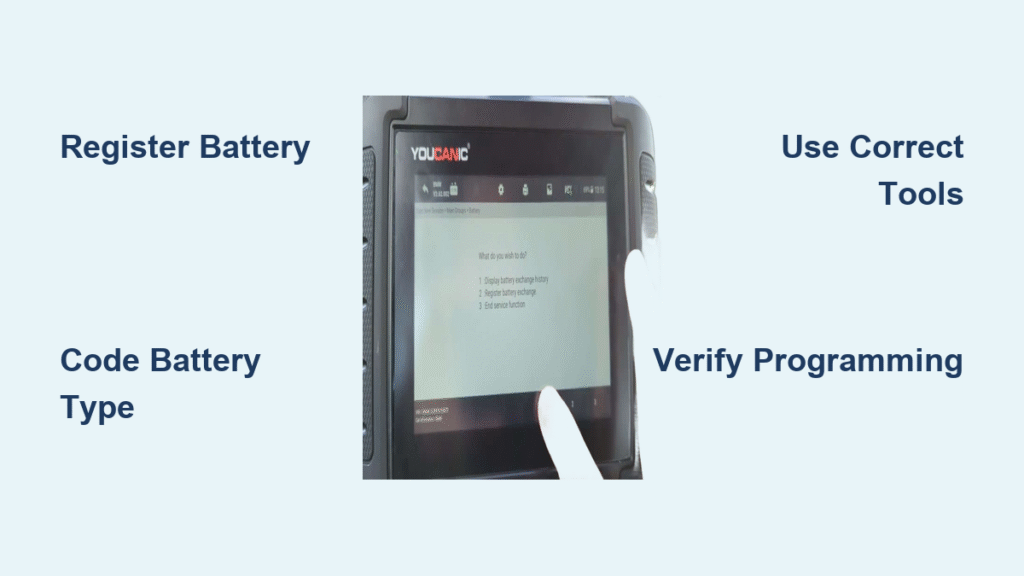
Your BMW’s battery replacement isn’t just a simple swap—modern models require precise programming to prevent premature battery failure and maintain optimal charging performance. Without proper registration and coding, your new battery could fail within months instead of lasting the expected 8-10 years. This happens because BMW’s Intelligent Battery Sensor (IBS) system continues charging based on your old battery’s degraded state, causing dangerous overcharging.
Whether you’re replacing your first BMW battery or troubleshooting charging issues, this guide walks you through the exact steps for successful programming using professional tools and budget-friendly DIY options. You’ll learn when programming is mandatory, which tools actually work, and how to avoid common pitfalls that lead to charging system errors and shortened battery life.
Why BMW Battery Programming Is Non-Negotiable
Prevent Premature Battery Failure with Proper Registration
Your BMW’s battery management system tracks degradation over time, adjusting charging voltage accordingly. When you install a new battery without registration, the ECU continues applying charging parameters designed for an old, degraded battery—flooding your fresh battery with excessive voltage that damages internal components.
You must register every new battery regardless of type or capacity. This simple process resets the charging algorithm to factory specifications for a new battery. Skip this step, and you’re practically guaranteeing your $200 battery will fail in 12-18 months instead of lasting 8-10 years.
When Coding Becomes Mandatory for Battery Changes
Coding becomes essential when you switch between battery types (AGM to wet-cell or vice versa) or change capacity ratings. Different battery chemistries require specific charging profiles—AGM batteries need higher voltage than traditional wet-cell batteries.
Critical mistake to avoid: Never install an AGM battery without proper coding if your BMW originally came with a wet-cell battery. The incorrect charging profile will either undercharge (causing slow cranks) or overcharge (creating dangerous hydrogen gas buildup). Always match your coding to the exact battery type and capacity you’ve installed.
Identify Your Battery Type and Specifications
Decode Your BMW’s Factory Battery Configuration
Your BMW’s VIN contains critical battery information that determines your programming requirements. Factory configurations use specific Vehicle Order (VO) codes:
- Wet-cell batteries: -B046 (46Ah), -B055 (55Ah), -B070 (70Ah), -B080 (80Ah), -B090 (90Ah)
- AGM batteries: -A070 (70Ah), -A080 (80Ah), -A090 (90Ah)
Pro tip: Before ordering a replacement, check your original battery’s label for type, Ah rating, and CCA. Using mismatched specifications triggers the need for coding changes. If you’re switching types (like upgrading to AGM), you must code the change—never assume the system will adapt automatically.
Budget-Friendly BMW Battery Programming Tools

Essential Hardware for Successful Programming
You don’t need dealer-level equipment for most BMW battery programming. These affordable options deliver professional results:
- K+DCAN cable ($23): USB-OBDII cable for Windows laptops (works with ISTA-D, INPA, NCS Expert)
- ELM327 Bluetooth adapter ($11): For mobile apps like BimmerLink and Carly
- ENET cable ($35): Required for F-series vehicles with ISTA+
Warning: Avoid cheap “programmer” tools that claim one-button operation—they often lack compatibility with newer BMW models. Instead, invest in versatile tools that handle both registration and coding.
Top Software Solutions for DIY Programming
Carly app ($45 + $10 battery module): The most user-friendly option for iOS/Android users. Its special 36Ah AGM setting solves compatibility issues with lightweight batteries that confuse other systems. Complete registration takes 5-7 minutes.
BimmerLink ($35): Best for basic registration only. Limited coding capabilities but sufficient if you’re installing the same battery type and capacity as original.
NCS Expert (free): Required for permanent VO updates when changing battery types. Steeper learning curve but prevents dealer programming from overwriting your settings. Allow 20-30 minutes for proper VO updates.
Execute Perfect BMW Battery Registration

ISTA-D Method (Most Reliable)
- Connect with ignition ON (not engine running)
- Launch ISTA-D and confirm vehicle identification
- Navigate: Vehicle Management > Service Functions > Body > Voltage Supply > Battery > Register Battery Replacement
- Follow prompts to complete registration (takes 3-5 minutes)
Tool32 Free Alternative
- Open Tool32.exe on Windows
- File > Load SGB > Select your DME .prg file
- Find “steuernbatterietauschregistri” in job list
- Jobs > Run Job > Confirm “Okay” status appears
Troubleshooting tip: If you get Ediabas errors, check COM port settings—set latency timer to 1ms in Device Manager. This fixes 90% of connection issues with generic cables.
Code Battery Type and Capacity Changes Properly
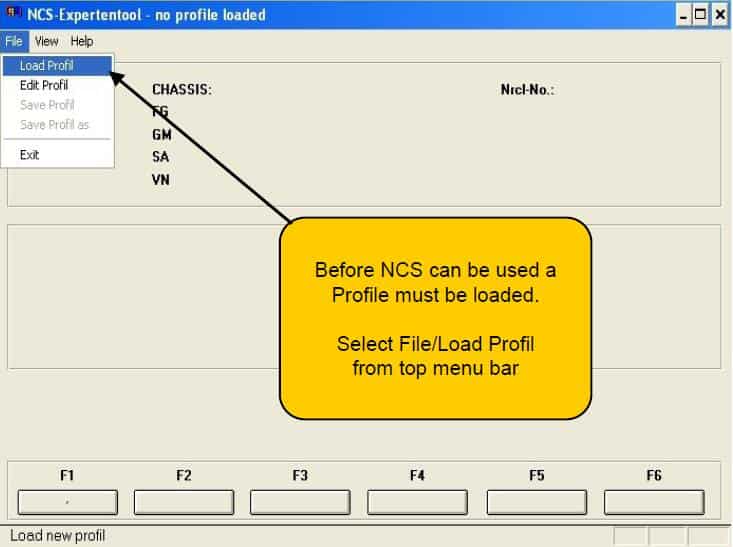
NCS Expert VO Update (Permanent Fix)
This method prevents dealers from overwriting your settings during future service:
- Open NCS Expert with manipulation profile
- F1 > F3 > Select chassis > Select CAS module
- F6 > F1 > F2 > Enter chassis > Verify VIN
- Update Vehicle Order (e.g., replace -B090 with -A090 when switching to 90Ah AGM)
- F6 > F4 > Select CAS > F2 > FA Write > F3 Execute
- Repeat process for NFRM/FRM module
Critical: Always round down when capacity doesn’t match available options (95Ah → 90Ah). Never round up—overcharging destroys batteries. For lightweight batteries like 28.6Ah, use Carly’s special 36Ah AGM setting.
Physical Battery Replacement Essentials
Trunk-Mounted Battery Removal Steps
-
Access battery compartment:
– Lift trunk floor handle to remove lower liner
– Rotate plastic retainers 90° at compartment rear
– Remove 4 push-pin clips securing covers -
Document connections with photos before disconnecting
- Disconnect negative terminal FIRST, then positive
- Remove Power Distribution Box (pop metal tabs with flathead)
- Disconnect Intelligent Battery Sensor on negative cable
- Remove retention bracket (2 bolts, 10Nm torque)
- Lift battery carefully—AGM batteries weigh 45-50 lbs
Correct Installation Sequence
- Transfer vent plug to new battery
- Position battery and reconnect vent hose
- Install retention bracket (10Nm torque)
- Connect positive terminal/IBS FIRST
- Reinstall Power Distribution Box (15Nm torque)
- Connect negative terminal LAST
- Replace all covers and trim pieces
Warning: Reversing connection sequence (positive last) creates dangerous short-circuit risks. Always connect positive first, negative last.
Verify Successful BMW Battery Programming
Post-Installation Checks
- Check INPA PM Field 2 for correct Ah reading
- Confirm registration date in ISTA+ matches your installation date
- Clear any fault codes remaining from the replacement process
- Monitor charging voltage during a 20-minute drive (should stabilize at 13.8-14.2V)
Troubleshoot Common Programming Failures
Registration fails despite correct procedure?:
– Verify IBS system presence (check negative cable)
– Ensure complete power shutdown before battery removal
– Try alternative registration method (switch from app to Tool32)
Coding reset after dealer service?:
– Your VO wasn’t properly updated in NCS Expert
– Always update both CAS and NFRM modules
– Keep documentation of your original VO codes
Maximize Battery Longevity with Proper Maintenance
Essential Care Practices
- Use a battery maintainer during winter storage (trickle chargers damage BMW batteries)
- Check battery health quarterly using diagnostic tools
- Address warning messages immediately—ignoring them leads to parasitic drain
- Expect 8-10 year lifespan with proper programming and care
When to reprogram: Any new battery installation requires registration. Coding changes are needed only when switching types or capacities. Charging system fault codes or warning messages also indicate programming may be necessary.
Final Note: Proper BMW battery programming takes 30-60 minutes but saves hundreds in premature replacement costs. Always register every new battery, code when changing types or capacities, and verify your work with diagnostic tools. Following these steps ensures optimal charging performance and maximum battery lifespan for your BMW.


