
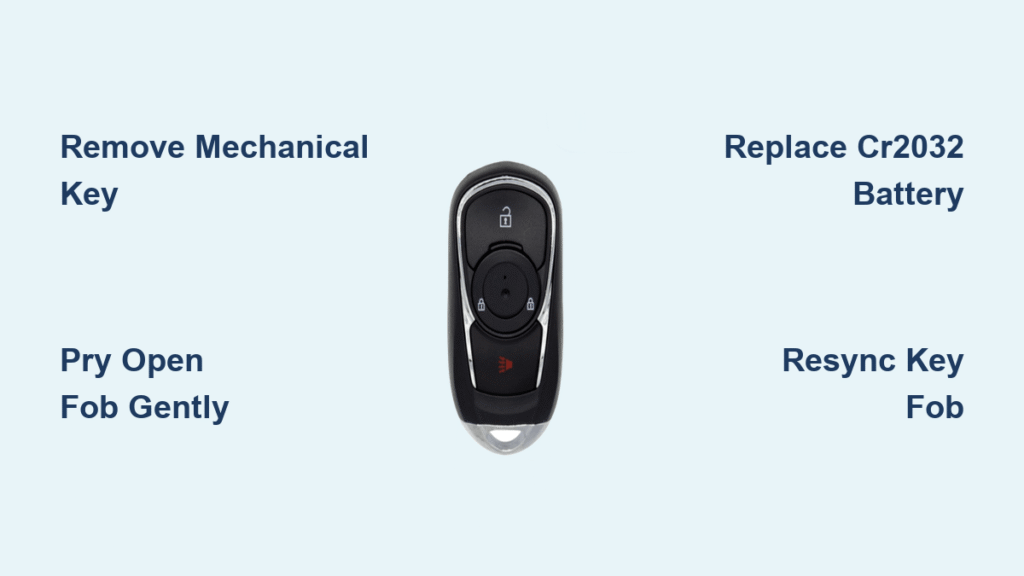
Your Buick Encore key fob suddenly stops working from across the parking lot. You press the unlock button repeatedly, but nothing happens until you’re standing right next to the door. Sound familiar? A dead battery is almost always the culprit, and replacing it takes less than five minutes with the right approach. You’ll save $50 on dealership service fees and avoid being locked out of your vehicle.
This guide walks you through the exact steps to swap your key fob battery, avoid common pitfalls, and get back to convenient keyless entry today. Whether you drive a 2013 model or the latest 2024 Encore, the process remains identical since Buick standardized the key fob design across all model years.
Locate Your Key Fob’s Hidden Release Mechanism
Every Buick Encore key fob conceals a mechanical key that doubles as your essential opening tool. Press the small silver button on the back edge of your remote until you feel it click, then pull the key straight out. This precision-cut tool prevents damage to your fob’s delicate plastic clips during disassembly.
Critical visual cues to spot first:
– The silver release button sits flush against the fob’s back panel
– A tiny gap appears between key sections when button is pressed
– Mechanical key slides out smoothly with gentle pressure
Never force the key release—if it sticks, check for debris in the slot. Gently blow into the gap or use a toothpick to clear obstructions before retrying.
Pry Open Your Key Fob Without Breaking Plastic Clips

Find the barely visible seam running around your key fob’s perimeter where the two halves meet. Locate the small notch near the key slot—this is your entry point. Insert the mechanical key’s tip into this notch at a 45-degree angle and apply gentle upward pressure.
Step-by-step separation technique:
1. Start at the key slot notch and twist slowly until you hear a soft click
2. Work your way around the fob’s edge using the key as a lever
3. Apply pressure in 1-inch increments to release each internal clip
4. Stop immediately if you feel resistance—reposition and try again
Pro tip: Wrap the key tip in masking tape to prevent scratching the plastic. If clips feel stubborn, warm the fob in your hands for 30 seconds—the plastic becomes more flexible at body temperature.
Remove the Old CR2032 Battery Safely

Inside the opened fob, you’ll see the silver disc battery nestled in a plastic holder. Note the orientation before removal—typically the side with writing (positive +) faces up toward the buttons. Gently pry the old battery out using your fingernail along the edge.
Critical safety checks before removal:
– Inspect for corrosion: White or green crust on contacts requires cleaning
– Check for swelling: A bulging battery indicates immediate replacement needed
– Verify polarity markings: Note the “+” symbol position on the old battery
If corrosion is present, dip a cotton swab in 90%+ isopropyl alcohol and gently clean both contact points. Allow 2 minutes to dry completely before proceeding.
Install Your New CR2032 Battery Correctly
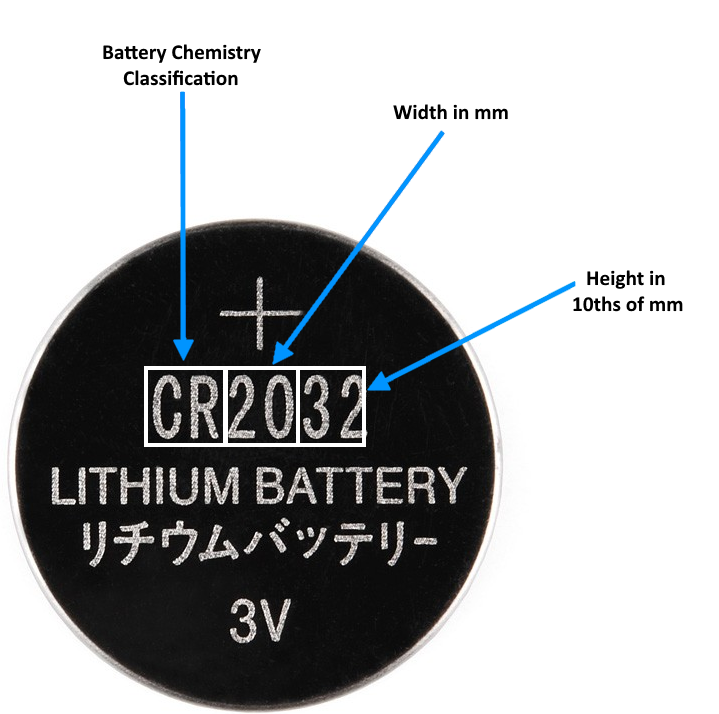
Hold your replacement CR2032 battery with the positive (+) side facing up—the same orientation as the old battery. Drop it into the holder and press down firmly until it seats completely flat. You should feel slight resistance as the contacts grip the battery.
Battery installation red flags:
– Battery wobbles or tilts in the holder
– Contacts don’t depress when battery is pressed
– Positive side faces downward against circuit board
Never skip this step: Test the battery voltage with a multimeter before installation—quality CR2032 cells should read 3.0-3.3 volts. Dollar-store batteries often measure below 2.8V and fail prematurely.
Reassemble Your Key Fob Without Damage
Align the front and back halves precisely, ensuring button openings match perfectly. Start snapping the pieces together at the key slot end, then work toward the opposite side. Apply firm, even pressure around all edges until you hear consistent clicking sounds.
Assembly checklist:
– No gaps visible along the seam line
– Mechanical key slot aligns perfectly
– All buttons depress smoothly
– Fob feels solid with no internal rattling
Press firmly along the entire perimeter—weak spots indicate unseated clips that could cause water damage later. If the fob doesn’t close properly, reopen and verify no tools or debris are trapped inside.
Test Your Repaired Key Fob Immediately
Stand 25 feet from your Encore and test all functions before closing the fob completely. This prevents frustrating rework if the battery orientation is wrong. Start with the most critical functions:
- Lock/unlock buttons: Confirm both work from 20+ feet away
- Trunk release: Essential for cargo access
- Panic button: Briefly test to verify signal strength
- Passive entry: Grab door handle to check proximity sensors
Failure troubleshooting:
– No response? Reopen fob and flip battery 180 degrees
– Short range? Clean contacts again with alcohol
– Sticky buttons? Disassemble and realign membrane
If issues persist after these checks, proceed to the resynchronization procedure.
Resync Your Key Fob After Battery Replacement
Your Encore occasionally needs manual resynchronization when the key fob loses power completely. This 30-second process works like magic when your freshly powered fob seems unresponsive:
- Sit in the driver’s seat with all doors closed
- Hold the key fob against the start button
- Press and hold the brake pedal
- Push the start button (don’t start the engine)
- Wait 10 full seconds while holding everything
- Release brake and test all functions
Why this works: The vehicle’s receiver needs to re-establish communication with the fob’s unique signal pattern after a complete power loss. This procedure resets the handshake protocol between components.
Prevent Future Battery Failures With These Habits
Extend your new CR2032’s lifespan by adopting these simple practices that double your battery’s service life:
- Pocket positioning: Store your fob with buttons facing outward—prevents accidental presses against keys or coins
- Temperature control: Never leave fobs on dashboards in summer (temperatures exceed 140°F damages batteries)
- Rotation system: Alternate between multiple fobs if you have them—prevents one from sitting dormant
- Spare battery stash: Keep a fresh CR2032 in your glove box (in a small plastic bag with desiccant)
Pro tip: When buying replacements, choose multi-packs of name-brand batteries. A 5-pack of Duracell CR2032 costs less than $10 online and ensures you’re never stranded with a dead fob.
Where to Buy Reliable CR2032 Batteries (Avoid These!)
Not all CR2032 batteries perform equally. Dollar-store versions often fail within months and risk leaking corrosive chemicals inside your fob. Stick with these proven sources:
Best purchase options:
– Auto parts stores: O’Reilly’s or AutoZone ($3.99 each, genuine Duracell)
– Grocery pharmacy sections: Walmart or Target (check expiration dates)
– Online multi-packs: Amazon 5-packs of Panasonic ($9.99 with Prime)
What to inspect before buying:
– Expiration date at least 2 years out
– Clear plastic packaging (no dents or swelling)
– No visible corrosion on terminals
– Brand name printed on battery face
Never use BR2032 or other lithium variants—they have lower capacity and shorter lifespan despite similar dimensions.
Quick Reference: 60-Second Battery Swap Checklist
Follow this streamlined procedure when you’re in a hurry:
- Press silver button and remove mechanical key
- Insert key into notch at key slot end
- Twist gently to release first clip
- Work around perimeter until fob opens
- Pop out old battery (note + orientation)
- Drop in new CR2032 with + side up
- Press firmly to seat battery
- Align halves and snap closed
- Test all functions from 20 feet away
Emergency shortcut: If you’re locked out right now, hold the key fob directly against the door handle—it often works with a nearly dead battery when normal range fails.
Keep this guide in your phone’s notes for quick reference. A properly maintained Buick Encore key fob should serve you reliably for years, but when that inevitable battery failure strikes, you’ll be prepared to fix it in less time than it takes to grab coffee. Always carry a spare CR2032 in your glove compartment—you’ll thank yourself when you least expect it. For persistent issues after battery replacement, consult your Buick dealer’s service department as internal fob damage may require professional repair.


