

You turn the key, the engine cranks slowly, and your dashboard lights flicker. Before reaching for jumper cables or calling roadside assistance, there’s a simple way to assess your battery in seconds. The car battery indicator—a small colored window built into many modern batteries—offers instant insight into your battery’s health. Learning how to check car battery indicator readings correctly can save you from breakdowns, reduce repair costs, and help you decide whether to recharge, test, or replace. This guide walks you through locating the indicator, interpreting each color, and taking the right action based on what you see.
Locate the Battery Indicator on Your Vehicle

Find the Indicator Window
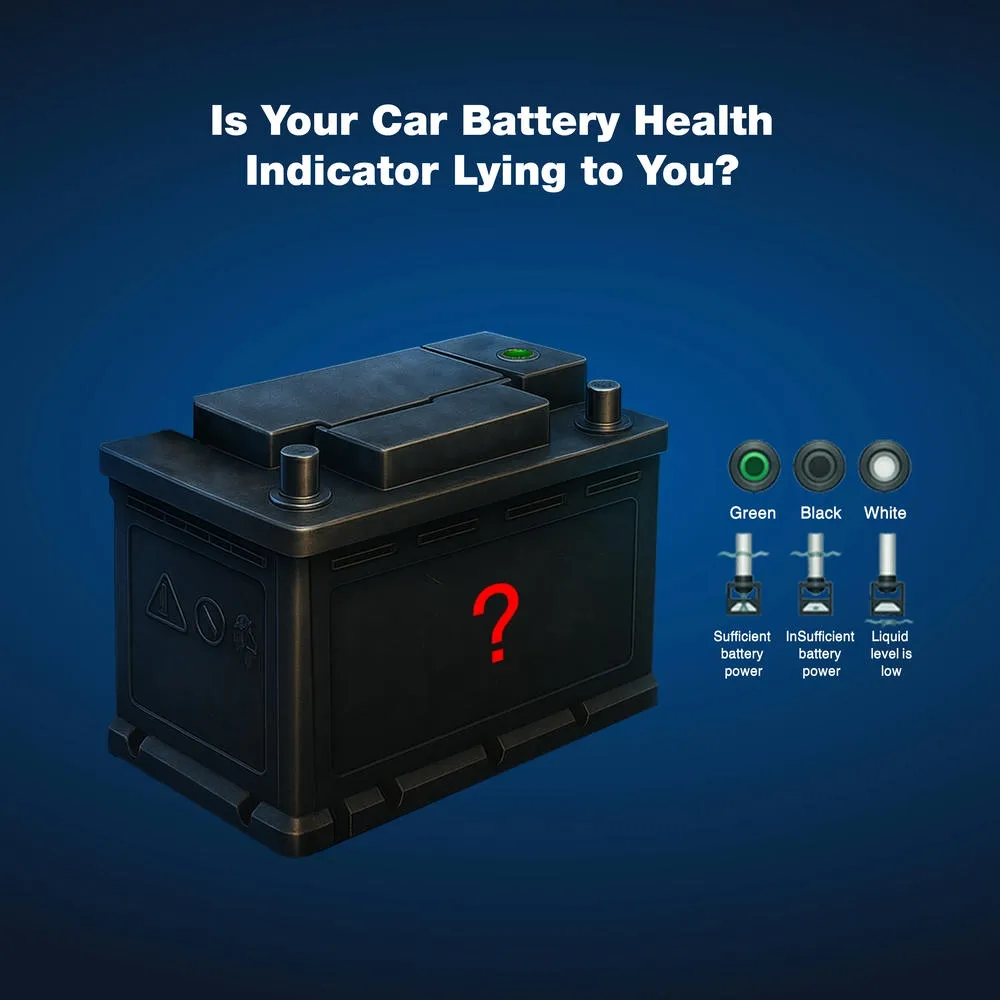
The battery indicator—sometimes called a “charge eye” or “hydrometer eye”—appears as a small, round, transparent dome on top of the battery. It is usually positioned on the positive side and visible without removing any covers. Not every battery includes this feature, but most sealed maintenance-free models do. Look for a clear or slightly tinted plastic bubble embedded directly into the battery case.
Confirm Your Battery Type Supports an Indicator
Only certain lead-acid battery designs include this visual gauge. If your battery has removable caps for adding distilled water, it likely does not have an indicator window. The battery health indicator is common on AGM (Absorbent Glass Mat) and standard sealed batteries, especially those manufactured within the last 15 years. If you cannot find a window on your battery, you will need a multimeter or professional tester for accurate readings.
Interpret Indicator Colors Correctly
Green Means the Battery Is Healthy
A green indicator signals that your battery is in good health and properly charged. The internal electrolyte level and specific gravity fall within the normal operating range. This is the best possible reading and means no immediate action is required. Continue with routine maintenance and recheck the indicator periodically for any changes.
Pro Tip: Even with a green reading, battery performance can drop significantly in cold weather. If your engine cranks slowly on cold mornings, test voltage with a multimeter for a more precise assessment.
Red Signals Low Charge
A red or amber dot means your battery is undercharged. The electrolyte level may be low, or the charge has dropped below optimal levels. This does not automatically mean the battery has failed—often, a full recharge restores proper function.
Warning: If the battery repeatedly returns to red after charging, it may be failing internally. A professional load test can confirm whether replacement is necessary.
Black or Clear Indicates a Failed Battery
A black or clear window means the battery is dead or failing. The hydrometer cannot detect sufficient charge, and the internal cells are no longer holding power. This typically occurs after a deep discharge or when the battery has reached the end of its usable lifespan.
Expert Note: A clear window can also indicate low electrolyte levels caused by overcharging or evaporation. Either way, replacement is usually the only reliable solution.
Verify Indicator Readings with Additional Tests
Why the Indicator Alone Isn’t Always Enough
While the indicator provides a quick snapshot, it only measures the charge level of one cell out of six in a standard 12V battery. If other cells are weak or failing, the indicator might still show green—even when the battery cannot deliver enough power to start your vehicle.
Limitation: A green dot confirms only that one cell is charged, not that the entire battery is healthy.
Use a Multimeter for Confirmation
For a more reliable battery check, use a digital multimeter:
- Turn off the engine and all electrical accessories.
- Set the multimeter to DC voltage on the 20V range.
- Touch the red probe to the positive (+) terminal and the black probe to the negative (–) terminal.
- Read the voltage displayed on the screen:
– 12.6V or higher means fully charged and healthy
– 12.4V indicates roughly 75% charged, which may need recharging
– 12.0V or lower signals a discharged battery that likely needs replacement
Best Practice: Test voltage after the car has rested for at least four hours for the most accurate results.
Perform a Load Test for Final Confirmation
If voltage readings fall in a borderline range or you have experienced starting issues, a load test simulates the demands of engine cranking. Many auto parts stores offer this service at no cost. A healthy battery should maintain at least 9.6V under load for 15 seconds. Anything below this threshold indicates the battery can no longer perform reliably under real-world conditions.
Take the Right Action Based on Your Reading
Battery Shows Red? Recharge First
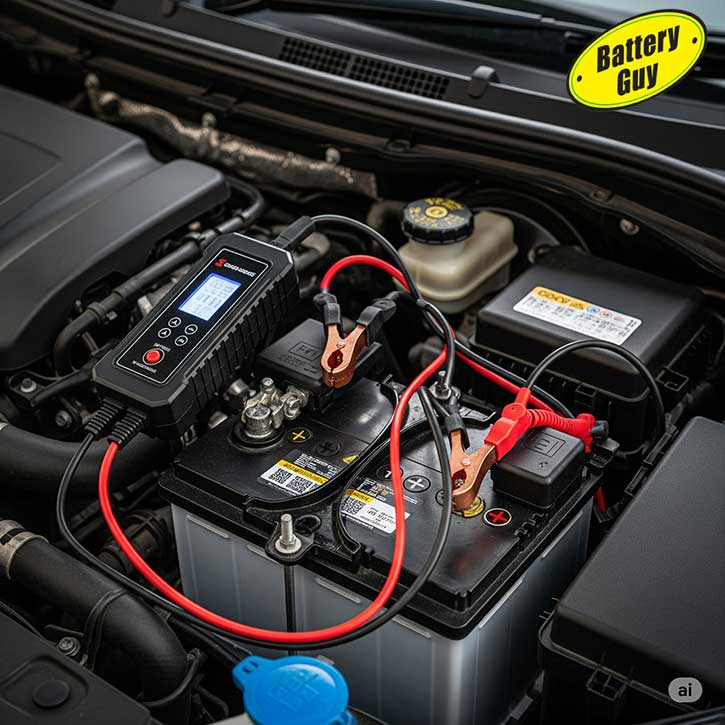
If the indicator reads red, do not replace the battery immediately. Recharge it using a smart charger designed for automotive batteries:
- Select a charger rated at 10 amps or lower to prevent damage.
- Charge for 4 to 12 hours, depending on battery size and discharge depth.
- Recheck the indicator window after charging completes.
Cycle Tip: Allow the battery to rest for 1 to 2 hours after charging before rechecking the indicator or testing voltage. This ensures a stable, accurate reading.
Still Red or Black After Charging?
If the indicator remains red or turns black following a full charge, the battery has likely suffered internal damage such as sulfation. Sulfation occurs when a battery sits in a discharged state too long, causing hard lead sulfate crystals to form on the internal plates. These crystals reduce capacity permanently and cannot be reversed through normal charging.
No Fix Available: Once a battery is heavily sulfated, replacement is the only dependable option.
Green Reading but Car Still Won’t Start?
A green indicator combined with starting problems points to issues elsewhere in the electrical system:
- Corroded terminals can block current flow. Clean them with a baking soda and water solution.
- Loose or damaged cables may prevent proper power transfer. Inspect for fraying, cracks, or poor connections.
- A faulty alternator might fail to recharge the battery during operation.
- Parasitic drain occurs when an accessory continues drawing power after the engine is off.
Next Step: Test the charging system with the engine running. Voltage should read 13.8 to 14.4V at the battery terminals.
Maintain Battery Health with Simple Habits
Keep the Indicator Window Clean
Dirt, grease, and road grime can obscure the indicator window over time. Wipe it gently with a damp cloth to maintain clear visibility. Avoid harsh solvents or abrasive cleaners that could cloud or scratch the plastic surface.
Check the Indicator Monthly
Make battery indicator checks part of your regular vehicle maintenance routine. Inspect the indicator at least once per month, and always before long trips or the onset of cold weather. Early detection of a weakening battery prevents inconvenient and costly breakdowns.
Prevent Deep Discharges Whenever Possible
Never leave headlights, interior lights, or electronic accessories running for extended periods when the engine is off. Deep discharges damage internal battery cells and significantly shorten overall lifespan.
Protect Your Battery: If your vehicle sits unused for more than two weeks, connect a trickle charger to maintain a full charge and prevent sulfation.
Recognize When Replacement Is Necessary
Most Batteries Last 3 to 5 Years
Even with consistently green readings, every battery degrades over time. If your battery is more than three years old and shows any warning signs, consider proactive replacement—especially before winter, when cold weather amplifies weak battery performance.
Warning Signs That Demand Immediate Action
- The indicator repeatedly turns black or clear
- The engine cranks slowly, particularly in cold weather
- Electrical systems behave erratically, such as flickering lights or random warning indicators
- The battery case appears swollen, cracked, or shows signs of leaking fluid
Smart Move: Replace the battery before complete failure, especially if you depend on your vehicle daily for work or family responsibilities.
Final Steps After Installing a New Battery

Reset or Activate the New Indicator
Some newer batteries require activation of the health indicator after installation. Follow the manufacturer’s instructions carefully—this may involve an initial charge or a specific reset procedure to ensure accurate readings going forward.
Recycle the Old Battery Responsibly
Most auto parts stores and service centers will accept your old battery for free recycling. Lead-acid batteries are approximately 99% recyclable, making them one of the most environmentally friendly components to dispose of properly. Never discard a battery in household trash.
Verify the Charging System Works Correctly
After installing a new battery, confirm that the alternator is functioning properly:
- Start the engine and let it idle.
- Use a multimeter to measure voltage at the battery terminals.
- A healthy charging system should produce 13.8 to 14.4V.
This final step ensures your new battery will not be drained prematurely by a faulty charging system.
Frequently Asked Questions About Car Battery Indicators
What does a green dot on a car battery mean?
A green dot means the battery is in good health and fully charged. The electrolyte level and specific gravity are within normal range, and no immediate action is needed. Continue routine maintenance and check the indicator periodically.
Can a battery indicator be wrong?
Yes, the indicator can be misleading because it only measures one of the six cells in a standard 12V battery. Other cells may be weak or failing while the indicator still shows green. Always confirm with a voltage test if you suspect problems.
How long should I charge a battery that shows red?
Charge the battery for 4 to 12 hours using a smart charger rated at 10 amps or lower. After charging, let the battery rest for 1 to 2 hours, then recheck the indicator. If it remains red or turns black, replacement is likely necessary.
Is a black battery indicator always bad?
A black indicator almost always means the battery has failed or suffered a deep discharge. The internal cells can no longer hold sufficient charge, and replacement is typically the only reliable solution.
Do all car batteries have a health indicator?
No, not all batteries include a built-in indicator. Sealed maintenance-free batteries and AGM designs commonly feature the indicator window, while traditional flooded batteries with removable caps usually do not.
How often should I check my battery indicator?
Check the indicator at least once per month, and always before long trips or seasonal weather changes. Regular monitoring helps you catch declining battery health before it leads to a breakdown.
Key Takeaways for Checking Your Car Battery Indicator
The car battery indicator is the fastest way to assess battery health without any tools, but it works best as a first step rather than a definitive diagnosis. Green means your battery is healthy and charged, red signals the need for recharging, and black or clear indicates failure and replacement. For complete confidence, pair your visual check with a multimeter voltage test, especially before winter or long trips. By understanding what each color means and responding appropriately, you can prevent breakdowns, extend battery life, and keep your vehicle starting reliably every time you turn the key.


